OpenBridge for Ignition
Guides for the OpenBridge components in Ignition Perspective. Search, or select a card below to open its guide.
Getting StartedInstall the module on the Gateway, get the demo project, and use it as a template for your own project.
Connector Diagram
Section titled “Connector Diagram”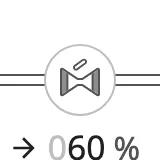
App - OpenBridge
Section titled “App - OpenBridge”App Components — OverviewHow the app components fit together: the frame of an application, the cards that hold its content, and the controls around them.
 Top BarThe application header at the top of every page. It shows the page name and the most important active alert, and opens the navigation, alert, brilliance, user and apps menus.
 Alert Subsystem ButtonOne subsystem's alarm counts as a split button: the counts open a menu of its alarms, the list half jumps to its alert list page.
 Navigation BarThe navigation menu: a list of pages with icons, groups, a footer and five layout variants.
 CardA container with an optional title that groups the content of a page, and can open a dialog with more detail.
 Tabbed CardA card with up to five tabs, each with its own content.
 ModalA dialog window with a title, a close button and Cancel, Done and optional action buttons around your own content.
 BadgeA small coloured label with a number and an optional icon, for alert counts, notifications and status.
 App BarA row of app buttons that navigate between the applications of a project.
 Integration BarThe header of a multi-vessel system: vessel selector, status fields, command indicator, buttons, menus and clock.
 Integration ButtonA button that stands for one vessel or system, with a status, icons, an info field and readouts.
 Fleet ButtonA large button that summarises a fleet: name, status, readouts and alert counts.
 PaginationA control for moving between the numbered pages of a list, a table or a set of views.
Input - OpenBridge
Section titled “Input - OpenBridge” Input Components — Common FeaturesWhat all input components share: how values are written back to a tag or property, the onActionPerformed event, disabling, icons and behavior in the Designer.
 App ButtonA large rounded icon button with a label under it, for opening an application or a page.
 BreadcrumbA trail of the levels above the current page, each of which the operator can click.
 ButtonA push button the operator presses to trigger an action, with a label, optional leading and trailing icons and three visual variants.
 Chat MessageOne chat bubble with an optional sender name and time, aligned left or right.
 CheckboxA checkbox with a label for switching an option on or off, with checked, unchecked and mixed states.
 Checkbox ListA list of checkbox rows, flat or as a tree with collapsible groups.
 Double SliderA slider with two thumbs, for setting the low and high end of a range.
 Dropdown ButtonA button that shows the selected option and opens a list to choose another.
 Filter ChipA small toggle chip with a label and optional icon, for turning a filter on or off.
 Floating ItemA brief floating notification with an icon, text, a time, up to two actions and a dismiss button.
 IconA single icon from the OpenBridge icon library, scaled to the size of the component.
 Icon ButtonA compact push button that shows an icon, with an optional label and four variants.
 Icon Check ButtonAn icon toggle button the operator clicks to switch something on or off.
 Message Menu ItemOne expandable message row with icons, a title, a description, a time and action buttons.
 Number Input FieldA field for typing a number, with unit, number format, label, helper and error text.
 Pivot Item GroupA row or column of items with a line marking the selected one.
 Progress BarShows how far a task has come, as a horizontal bar or a ring.
 Radio Button GroupA group of radio buttons for choosing one of a few options.
 Sequence Loading SpinnerA small loading ring sized to sit beside the steps, tags and buttons of a sequence.
 Slide ButtonA slide-to-confirm button: drag the handle to the end to perform an action.
 SliderA horizontal slider for setting a number within a range by dragging, with optional step buttons.
 Status IndicatorA small colored lamp with a label, showing one of six statuses.
 Stepper BoxTwo buttons that raise and lower a number in fixed steps.
 Tab RowA row of tabs with icons, subtitles, badges, close buttons and an add button.
 TagA small colored label with an optional icon, for marking or categorizing something.
 Text Input FieldA single-line text field with label, helper and error text and icons, in text, password, date and time types.
 Textarea FieldA multi-line text field for notes and log entries, with label, error text and an optional toolbar.
 Toggle Button HorizontalA row of connected buttons of which the operator selects one.
 Toggle Button VerticalA column of connected buttons of which the operator selects one.
 Toggle SwitchAn on/off switch with a label.
 User ButtonA round button showing a user icon or initials, with a name under it.
 User MenuA card with a sign-in form, recent users, or the signed-in user with actions and sign out.
Automation - OpenBridge
Section titled “Automation - OpenBridge” Automation Buttons — Common FeaturesWhat all automation symbols share: the readout and its tag, positioning, size, alert frame, progress ring and badges.
 Analog Threeway ValveA three-way control valve whose ports each open from 0 to 100 %, with a readout row per flow.
 Automation BadgeA small icon for the control mode, lock or alert state of a device.
 Automation ReadoutA value label with a number and unit, attached to a line by a leader line.
 Automation TankA tile for a tank or battery showing the fill level as percentage, bar or trend graph.
 Bipolar TransistorAn automation symbol for a bipolar junction transistor in an electrical diagram, with 6 alternative icons.
 CapacitorAn automation symbol for a capacitor in an electrical diagram, with 4 alternative icons.
 ConverterAn automation symbol for a power converter, such as a rectifier, inverter or DC/DC converter, with 8 alternative icons.
 DamperAn automation symbol for a damper in a duct, showing the state it is given by the properties you bind.
 Digital Threeway ValveA three-way valve whose ports are each open or closed, with a readout row per flow.
 DiodesAn automation symbol for a diode or a related semiconductor device, with 6 alternative icons.
 Electricity BatteryAn automation symbol for a battery in an electrical diagram, showing whether it is on or off.
 FanAn automation symbol for a fan, with a speed readout and a direction indicator.
 FilterAn automation symbol for an electrical filter in an electrical diagram, with 4 alternative icons.
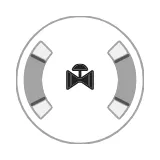 Gauge ValveA radial gauge for the opening of a two-way or three-way analog valve, with scale, setpoint and readout.
 GroundAn automation symbol for a connection to ground (earth) in an electrical diagram, with 3 alternative icons.
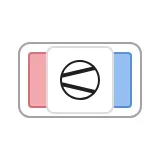 Heat PumpA tile for a heat pump with a hot and a cold side, tag, badges and alert frame.
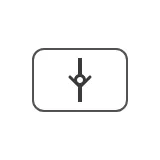 Hydraulic Check ValveA static symbol for a check valve in a hydraulic diagram.
 LogicAn automation symbol for a logic gate, with 6 alternative icons.
 MosfetAn automation symbol for a MOSFET transistor in an electrical diagram, with 8 alternative icons.
 MotorAn automation symbol for an electric motor, with a speed readout and a direction indicator.
 Non-Return ValveA self-acting valve that lets the medium flow one way only, drawn with its flow direction.
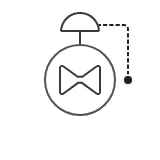 Pressure Reduction ValveA self-acting valve that keeps the pressure downstream at a set value, with its handle and self-actuation line.
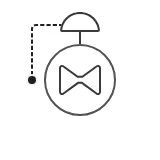 Pressure Sustain ValveA self-acting valve that keeps the pressure upstream from falling below a set value, with its handle and self-actuation line.
 PumpAn automation symbol for a pump, with a speed readout and a direction indicator.
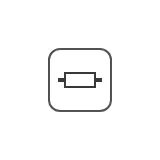 ResistorAn automation symbol for a resistor in an electrical diagram, with 5 alternative icons.
 RouterAn automation symbol for a network router, with 2 alternative icons.
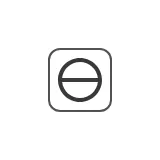 SourceAn automation symbol for an electrical source in an electrical diagram, with 5 alternative icons.
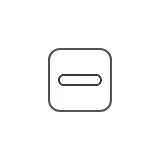 SwitchA two-state electrical switching device, such as a switch, breaker or disconnector, with 4 alternative icons.
 TransformerAn automation symbol for a transformer in an electrical diagram, with 2 alternative icons.
 TransmitterA label for a measurement on a line, with value, unit, icon, advice, setpoint, trend graph and alarm frame.
 Transmitter StackSeveral readings side by side in one chip with a shared leader line.
 ValveA valve symbol, analog (any opening, shown in percent) or digital (open or closed), picked from one palette entry.
Maritime - OpenBridge
Section titled “Maritime - OpenBridge” Maritime Instruments — Common FeaturesWhat all maritime instruments share: state, priority, setpoints, advice zones, scales and sizing.
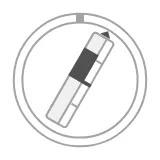 Azimuth ThrusterA thruster that turns: its angle and thrust, each with a setpoint.
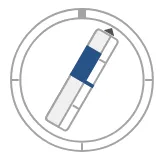 Azimuth Thruster LabeledDeprecated: an azimuth thruster with a name and readouts.
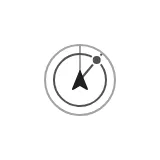 Bearing IndicatorA small symbol for the bearing to a target.
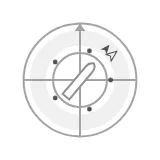 CompassAn OpenBridge compass for Ignition Perspective, showing heading and course over ground with setpoint, rate of turn, wind, current and a vessel symbol.
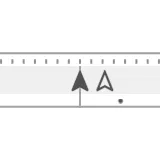 Compass FlatA horizontal compass strip with heading, course and rate of turn.
 Compass IndicatorA small symbol for a heading, course or north.
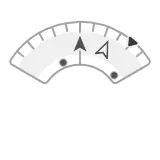 Compass SectorHeading and course on a 120° arc, with setpoint and rate of turn.
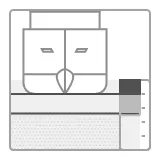 Depth ActualDraught and depth below the keel in cross section, with a depth scale and advice zones.
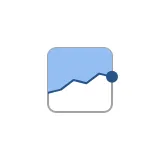 Depth IndicatorA small depth-profile symbol.
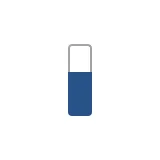 Gauge Bar IndicatorA small bar symbol for a level or percentage.
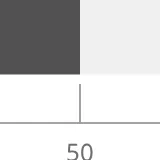 Gauge HorizontalA horizontal bar gauge with a scale, fill modes, setpoint and advice zones.
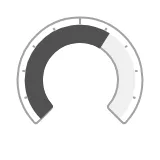 Gauge RadialA radial gauge for any value, with filled, bar or needle display, readout, setpoint and advice zones.
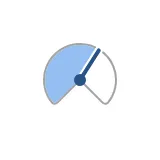 Gauge Radial IndicatorA small radial gauge symbol with a needle and an optional icon.
 Gauge TrendA history line next to a vertical scale with the current value, setpoint and advice zones.
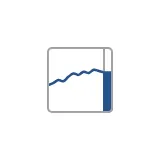 Gauge Trend IndicatorA small trend symbol with a short history line and the current value.
 Gauge VerticalAn OpenBridge vertical bar gauge for Ignition Perspective, with a scale, fill modes, setpoint and advice zones.
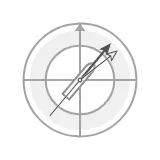 HeadingHeading and course on a compass ring, with setpoint and vessel symbol.
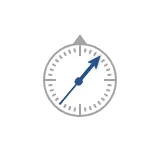 Heading IndicatorA small heading or cross-track deviation symbol.
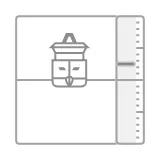 HeaveHeave on a linear scale beside a rising and falling vessel, with trend band and advice zones.
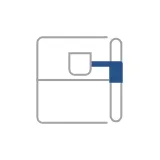 Heave IndicatorSmall symbol of the heave for overviews.
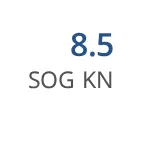 Instrument FieldDeprecated navigation value field with tag, unit, setpoint and source; use the Readout.
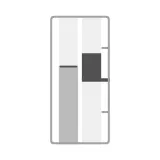 Main EngineEngine speed and thrust side by side, each with a setpoint.
 Main Engine IndicatorA small symbol of a main engine's speed and thrust.
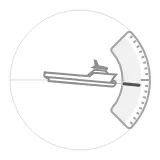 PitchPitch of the vessel on an arc scale, with a side-view vessel, average band and caution zones.
 Pitch IndicatorSmall symbol of the pitch for overviews.
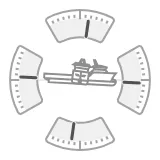 Pitch RollPitch and roll together on four arcs, or two, around the vessel.
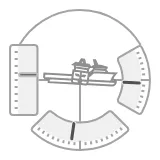 Pitch Roll HeavePitch and roll arcs with a heave column in one instrument.
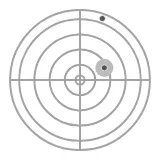 Pitch Roll YawAttitude as a dot on a polar grid, with yaw on the ring.
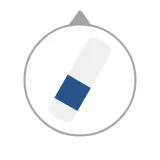 Propulsion Azimuth IndicatorA small symbol of an azimuth thruster's direction and thrust.
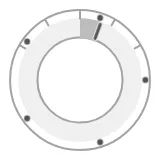 Rate Of TurnRate of turn on a round face: spinning dots, a track bar and a readout.
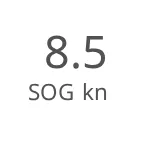 ReadoutA number with label, unit, setpoint and source, in three sizes, vertical or horizontal.
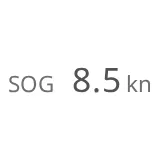 Readout List ItemA dense readout row — label on the left, value with unit, setpoint and source on the right — for lists.
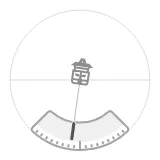 RollRoll of the vessel on an arc scale, with a fore-view vessel, average band and caution zones.
 Roll IndicatorSmall symbol of the roll for overviews.
 Rot IndicatorA small rate-of-turn symbol.
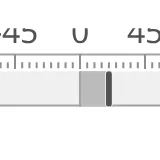 Rot LinearRate of turn as a bar on a horizontal strip.
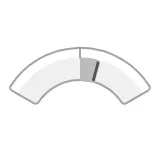 Rot SectorRate of turn as a bar on a sector arc, with setpoint.RudderAn OpenBridge rudder angle instrument for Ignition Perspective, with a bar or needle, setpoint, advice zones and a configurable range.
 Rudder IndicatorA small OpenBridge symbol of the rudder angle for Ignition Perspective, for overviews and conning displays.
 Speed ArrowsOne to three chevrons for the direction and size of a speed, with an optional readout.
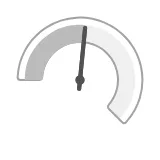 Speed GaugeA speed instrument with a needle, readout, setpoint and speed advice zones.
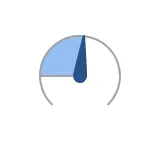 Speed IndicatorA small speed symbol: a dial with a needle, or chevrons around the own ship.
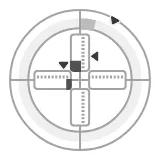 Surge Sway YawPlanar motion (surge, sway, yaw) with a setpoint for each, for DP and joystick control.
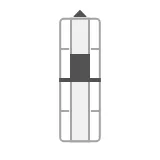 ThrusterThe thrust of a fixed thruster or propeller, upright or as a tunnel thruster.
 Tunnel ThrusterA small symbol of a tunnel thruster's thrust to port or starboard.
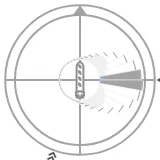 Velocity Projection PlotA polar plot of energy demand and wind contribution per direction sector, for wind-assisted propulsion.
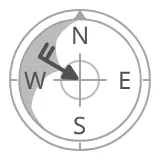 WindWind direction and speed on a compass dial, with a histogram of recent wind directions and the vessel heading.
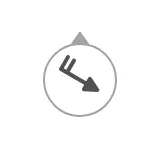 Wind IndicatorA small wind barb showing wind direction and speed, for overviews and top bars.
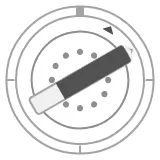 Wind PropulsionA sail's angle, force and setpoint, with the wind.
Chart - OpenBridge
Section titled “Chart - OpenBridge”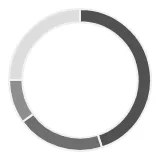 Donut ChartShows how a total is split into parts, with the total in the centre.
 Graph MiniA 48 px framed trend symbol of recent values.
 Indicator GraphA trend line that fills its box, with a dot at the latest value.
 Radial Bar ChartCompares several values as concentric rings.
Embedding - OpenBridge
Section titled “Embedding - OpenBridge” Accordion CardA card with a header that expands to show an embedded view.
 Accordion ItemA header row with a chevron that opens and closes a section.
 Alert DetailThe details of one Ignition alarm — times, a trend of its tag, the acknowledge comment and buttons to acknowledge, shelve and go to the equipment.
 Alert Frame ContainerDraws an alert frame, with optional flap, label and timer, around the component placed in it.
 Alert ListA compact list of the Ignition alarms that match a filter, with an ACK button on each alarm — the same list as the Top Bar's alert menu, placed anywhere in a view.
 Alert List PageA full-page alarm table for Ignition Perspective, with tabs for unacknowledged, active, shelved and historical alarms, search, paging, acknowledging several alarms at once and a detail panel.
Found an error or something unclear?
Tell us what is wrong, confusing or missing on this page.
Built on the OpenBridge Design System