Rate Of Turn
The Rate Of Turn instrument shows the rate of turn (ROT) of the vessel on a round face of its own, without a compass: dots that spin around the ring, a bar that grows from the top of the ring, and a readout of the value. It is found in the Maritime - OpenBridge section of the Perspective Component Palette as Rate Of Turn.
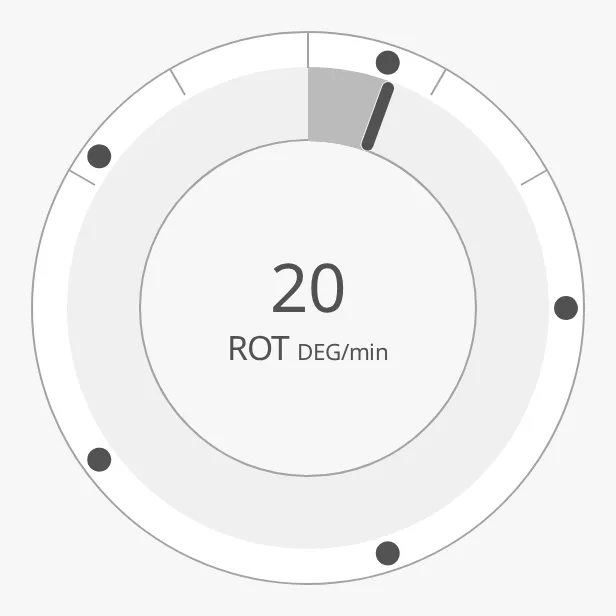
The parts of the instrument:
- Dots — spin around the ring, in the direction of the turn. See Rate of Turn.
- Track bar — grows from the top of the ring to the rate of turn. See Track Bar.
- Readout — the rate of turn as a number. See Readout.
- Face — one, two or three rings. See Face.
The Rate Of Turn is one of the maritime instruments; see
Maritime Instruments — Common Features. It has no state,
setpoint or advice zones. The rate of turn can also be shown on the
Compass, as a strip on the
Rot Linear, as a gauge on the Rot Sector,
or as a small symbol on the Rot Indicator.
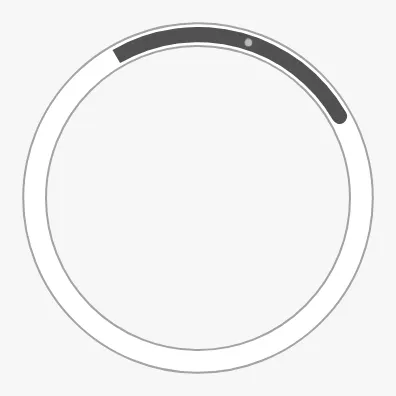
A Rate Of Turn dropped from the palette shows dots on a single ring:
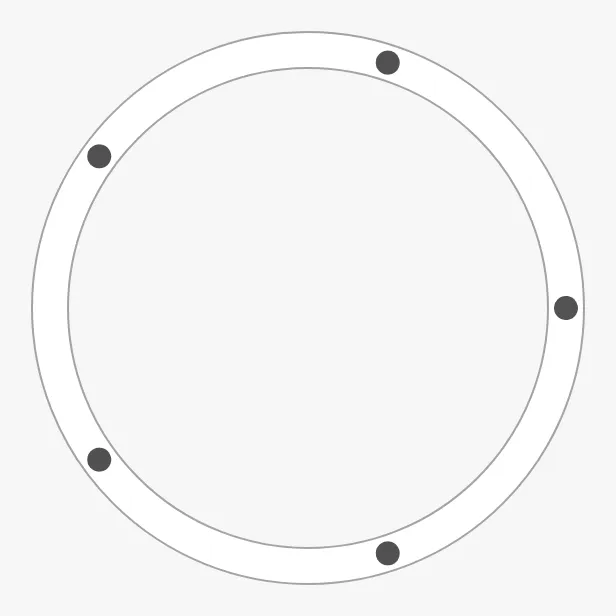
Note: As on the Compass, a new Rate Of Turn uses the deprecated
rotationsPerMinuteof0untilhasRateOfTurnDegreesPerMinuteis set, so its dots stand still until you bind the rate of turn.
Rate of Turn
Section titled “Rate of Turn”Set hasRateOfTurnDegreesPerMinute to true and bind
rateOfTurnDegreesPerMinute to the rate of turn in degrees per minute;
positive is a turn to starboard (clockwise). The dots make
rateOfTurnDegreesPerMinute / 360 × rotDotAnimationFactor turns per minute.
The dots move, so their place in the images is arbitrary.
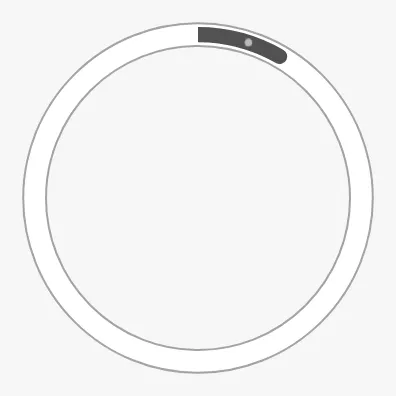
rotType and rotPosition select the indicator and its place, as on the
Compass (see Compass — Rate of Turn), but the
default place is the outer ring (scale):
| rotType | rotPosition = scale (default) |
rotPosition = innerCircle |
|---|---|---|
dots (default) |
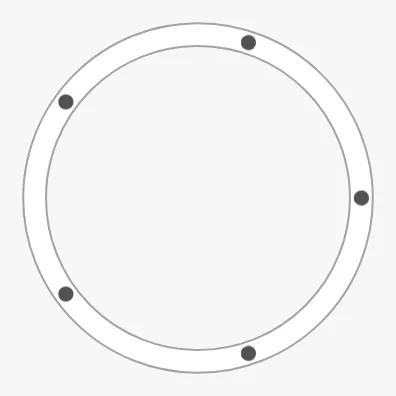 |
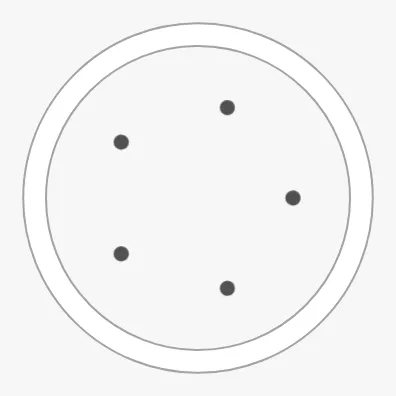 |
bar |
 |
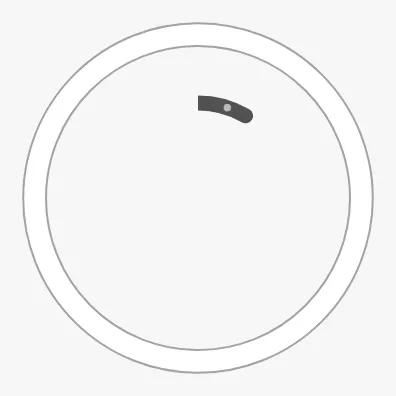 |
Unlike on the Compass, the bar of the Rate Of Turn does not follow the rate
of turn: it is a fixed arc from barStartAngle to barEndAngle (in degrees,
0 at the top, clockwise), with the dots moving inside it. To show the value as
a bar, use the Track Bar.
Properties
Section titled “Properties”| Name | Description | Property Type |
|---|---|---|
| hasRateOfTurnDegreesPerMinute | Use rateOfTurnDegreesPerMinute. Default false. |
value |
| rateOfTurnDegreesPerMinute | Rate of turn in degrees per minute; positive is starboard. Only shown when hasRateOfTurnDegreesPerMinute is true. |
value |
| rotDotAnimationFactor | How much faster than the real rate the dots move. Default 18. |
value |
| rotType | dots or bar. Default dots. |
value |
| rotPosition | scale (the outer ring) or innerCircle. Default scale. |
value |
| barStartAngle | Start of the fixed bar, in degrees from the top. Default 0. |
value |
| barEndAngle | End of the fixed bar, in degrees from the top. Default 30. |
value |
| rotAtZeroDeadband | Rate of turn below which it is treated as zero. Default 0.05. |
value |
| rotationsPerMinute | Deprecated. Turns per minute of the dots, used when hasRateOfTurnDegreesPerMinute is false. Default 0. |
value |
Track Bar
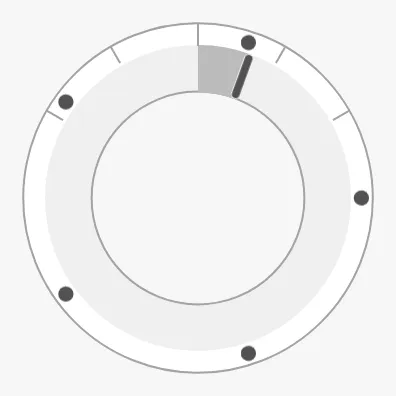
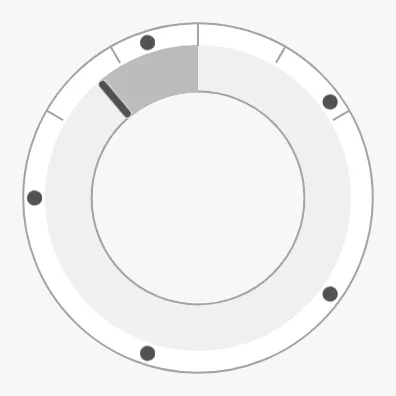
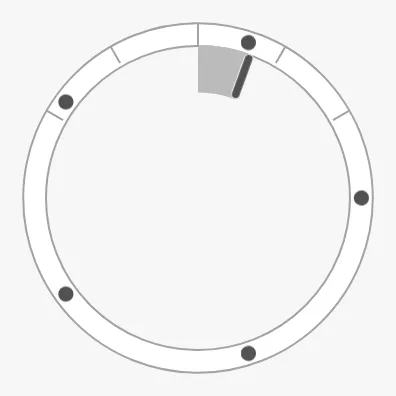
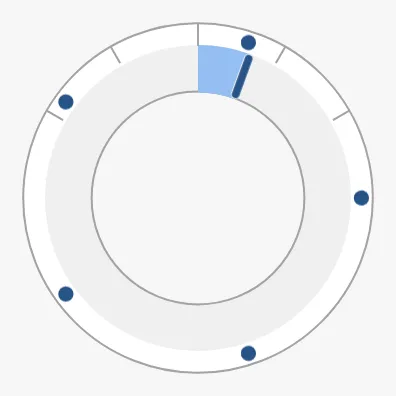
Section titled “Track Bar”Set hasTrackBar to true to draw a bar in the ring from the top (zero) to the
rate of turn, with a needle at its end and tickmarks along the ring. It reaches
rotArcExtent degrees of the ring, to each side, when the rate of turn is
rotMaxValue. The track bar looks best on a double face (see Face).
Starboard (20) |
Port (-40) |
Single face |
|---|---|---|
 |
 |
 |
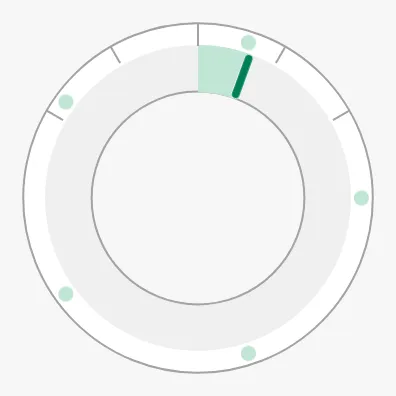
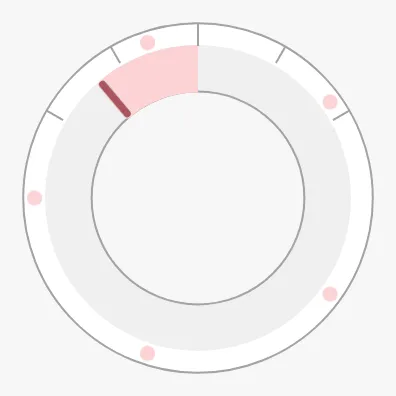
With rotPortStarboard set to true, the track bar and the dots are drawn in
the starboard colour (green) for a turn to starboard and in the port colour
(red) for a turn to port:
| Starboard | Port |
|---|---|
 |
 |
Properties
Section titled “Properties”| Name | Description | Property Type |
|---|---|---|
| hasTrackBar | Draw a bar from the top of the ring to the rate of turn. Default false. |
value |
| rotMaxValue | Rate of turn, in degrees per minute, at which the track bar is full. Default 60. Only shown when hasTrackBar is true. |
value |
| rotArcExtent | Length of the full track bar, in degrees of the ring to each side. Default 60. Only shown when hasTrackBar is true. |
value |
| rotPortStarboard | Colour the track bar and the dots by the direction of the turn. Default false. |
value |
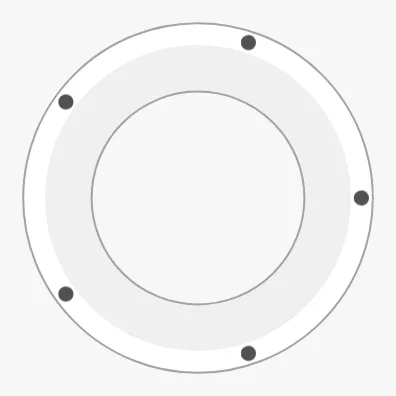
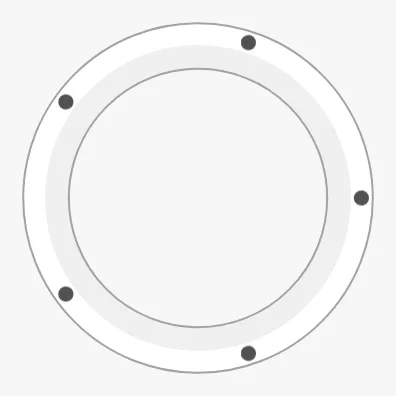
watchCircleType selects the rings of the face:
single (default) |
double |
|---|---|
|
 |
doubleThin |
triple |
|---|---|
 |
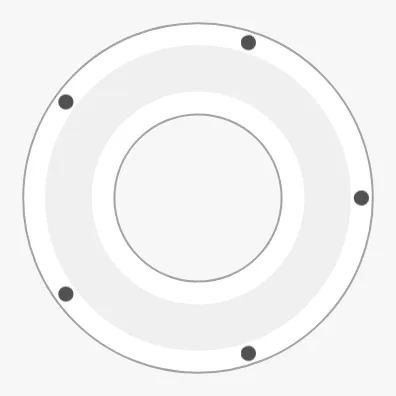 |
Use double with the track bar, and triple when the dots are on the inner
circle, so they get a track of their own.
Properties
Section titled “Properties”| Name | Description | Property Type |
|---|---|---|
| watchCircleType | single, double, doubleThin or triple. Default single. |
value |
Readout
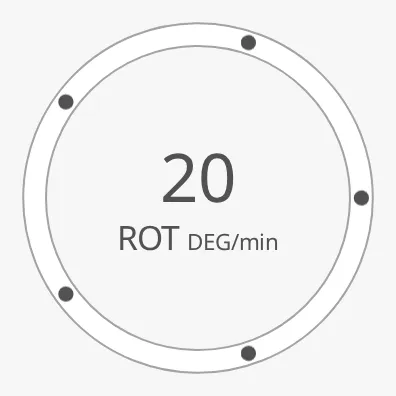
Section titled “Readout”Set hasReadout to true to show the rate of turn as a number in the centre.
label and unit are written under it, and fractionDigits sets the number
of decimals. The readout shows a dash while hasRateOfTurnDegreesPerMinute is
false.
hasReadout = true |
label and unit cleared |
|---|---|
 |
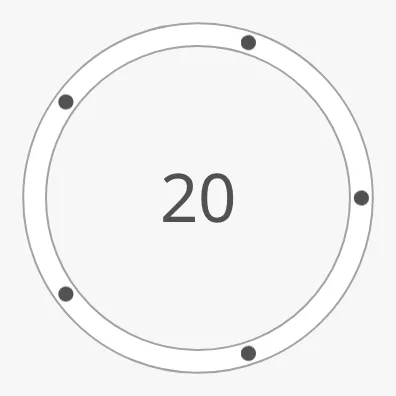 |
A new Rate Of Turn has label ROT and unit DEG/min; clear them to show
the number only.
Properties
Section titled “Properties”| Name | Description | Property Type |
|---|---|---|
| hasReadout | Show the rate of turn as a number. Default false. |
value |
| label | Text under the number. Default ROT. Only shown when hasReadout is true. |
value |
| unit | Unit after the label. Default DEG/min. Only shown when hasReadout is true. |
value |
| fractionDigits | Number of decimals. Default 0. Only shown when hasReadout is true. |
value |
Priority
Section titled “Priority”priority works as described in Priority: with
enhanced the dots and the track bar are drawn in the enhanced colour.
rotPortStarboard takes precedence over it.
regular (default) |
enhanced |
|---|---|
|
 |
The Rate Of Turn fills the component’s box and is centred in it, like the
other round instruments; see Size. It has no
faceDiameter.
Common Properties
Section titled “Common Properties”These work in the same way on every maritime instrument, and are described in Maritime Instruments — Common Features:
- Priority —
priority. - Style and Events —
style.
Component Events
Section titled “Component Events”The Rate Of Turn has no component events of its own.
Examples
Section titled “Examples”Example 1 — Rate-of-Turn Indicator for the Conning Display
Section titled “Example 1 — Rate-of-Turn Indicator for the Conning Display”- Drop a Rate Of Turn into the view and make it square, about 200 px.
- Set
hasRateOfTurnDegreesPerMinutetotrueand bindrateOfTurnDegreesPerMinuteto[default]Nav/ROT. - Set
hasTrackBartotrue,watchCircleTypetodoubleandrotPortStarboardtotrue. - Set
hasReadouttotrue,labeltoROTandunittoDEG/min.
Found an error or something unclear?
Tell us what is wrong, confusing or missing on this page.
Built on the OpenBridge Design System