Pitch Roll Yaw
The Pitch Roll Yaw shows the attitude of the vessel in one circular face: the pitch and the roll place a dot on a polar grid, and the yaw is shown on the ring around it. It is found in the Maritime - OpenBridge section of the Perspective Component Palette as Pitch Roll Yaw (Experimental).
Note: This component is experimental: its properties may change in a later version.
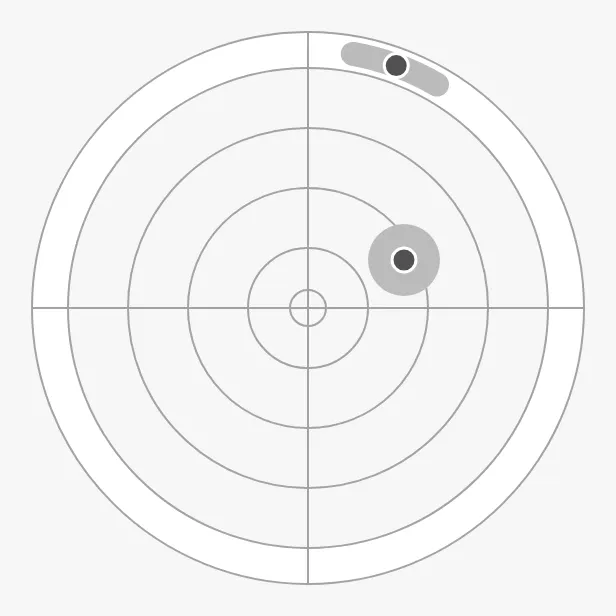
The parts of the instrument:
- Attitude dot — up for positive pitch, right for positive roll. See Pitch and Roll.
- Grid — circles at even steps up to
range. - Yaw — a dot on the ring, with a band for the recent range. See Yaw.
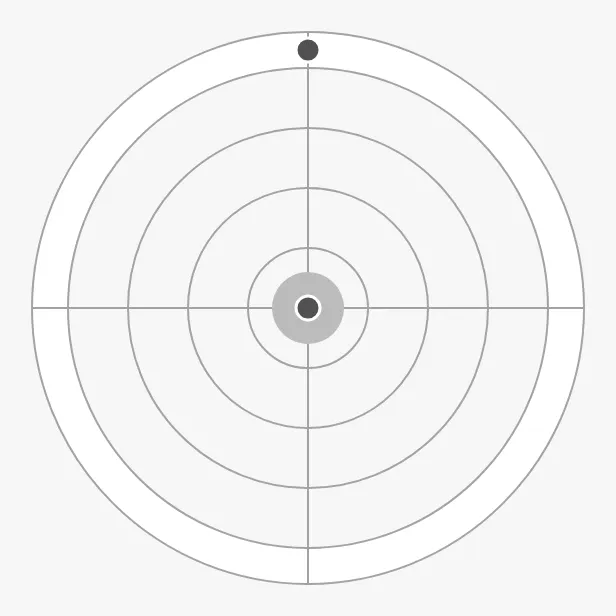
A Pitch Roll Yaw dropped from the palette shows all three values at 0 (shown here at 300 × 300 px):
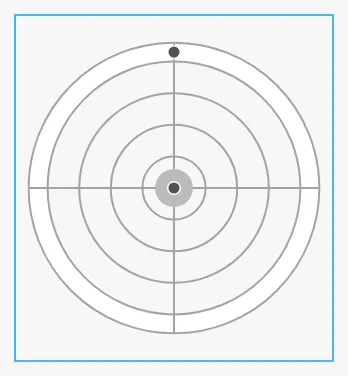
A new Pitch Roll Yaw is only 158 × 172 px, the blue frame below. Make it larger:
Variants
Section titled “Variants”type selects what is drawn around the attitude:
| type | ||
|---|---|---|
level (default) |
The attitude dot with a halo, and the yaw as a dot with its average band. No vessel. | 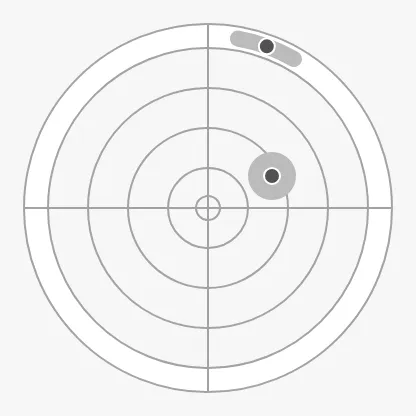 |
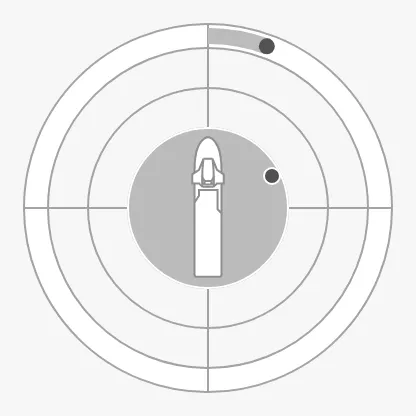
actual-motion |
A vessel seen from the top, a circle of radius motionRadius, and the yaw as a bar from 0°. |
 |
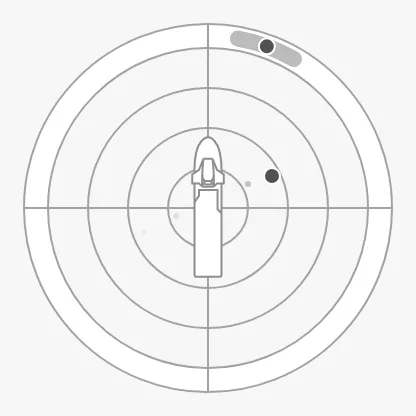
historical-motion |
A vessel seen from the top, and a fading trail of past attitudes from motionHistory. The yaw as in level. |
 |
Properties
Section titled “Properties”| Name | Description | Property Type |
|---|---|---|
| type | level, actual-motion or historical-motion. Default level. |
value |
Pitch and Roll
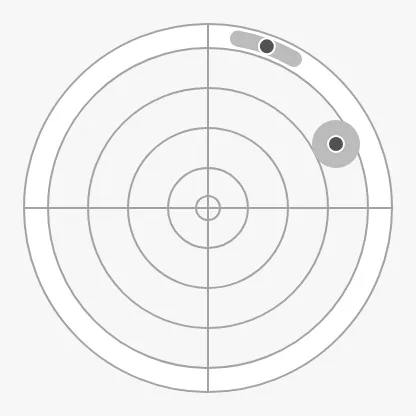
Section titled “Pitch and Roll”Bind pitch and roll in degrees. The dot moves up for a positive pitch and
to the right for a positive roll. range is the value at the outermost grid
circle; a dot beyond it stays on the edge.
range = 20 (default) |
range = 10 |
|---|---|
|
 |
In actual-motion, motionRadius draws a filled circle of that radius, in
degrees, around the centre: the envelope the motion should stay within. 0
hides it.
In historical-motion, motionHistory is a list of past attitudes, oldest
first, each an object with pitch and roll. They are drawn as a trail of dots
that fade with age.
Properties
Section titled “Properties”| Name | Description | Property Type |
|---|---|---|
| pitch | Pitch in degrees; positive moves the dot up. Default 0. |
value |
| roll | Roll in degrees; positive moves the dot right. Default 0. |
value |
| range | Value at the outermost grid circle. Default 20. |
value |
| motionRadius | Radius of the motion envelope, in degrees. 0 hides it. Default 0. Used by actual-motion. |
value |
| motionHistory | Past attitudes, oldest first, each with pitch and roll. Empty by default. Used by historical-motion. |
array |
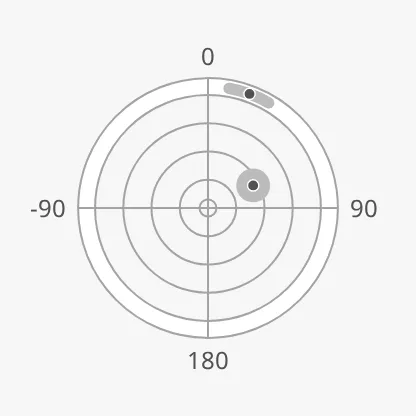
Bind yaw to the yaw deviation in degrees, from -180° to 180°: 0° is at the
top, and positive is clockwise. In level and historical-motion it is a dot
on the ring, and minAvgYaw and maxAvgYaw draw a band for its recent range.
In actual-motion it is a bar from 0° to the yaw, and the band is not drawn.
showLabels writes 0, 90, 180 and -90 outside the ring; the instrument is made
smaller to leave room for them.
Properties
Section titled “Properties”| Name | Description | Property Type |
|---|---|---|
| yaw | Yaw in degrees; 0° at the top, positive clockwise. Default 0. |
value |
| minAvgYaw | Lower end of the yaw band. Default 0. Not used by actual-motion. |
value |
| maxAvgYaw | Upper end of the yaw band. Default 0. Not used by actual-motion. |
value |
| showLabels | Show the labels 0, 90, 180 and -90. Default false. |
value |
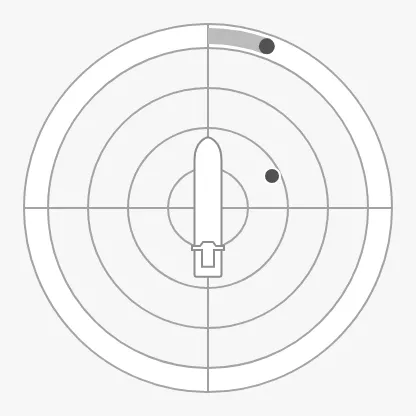
Vessel Image
Section titled “Vessel Image”vesselImage selects the vessel drawn in actual-motion and
historical-motion, from the same list as the Compass’s
vesselImage. The vessel is seen from above, so use a
top view such as psv-top (the default), cargo-top or tanker-top:
Properties
Section titled “Properties”| Name | Description | Property Type |
|---|---|---|
| vesselImage | Vessel drawn in the centre. Default psv-top. Not drawn in level. |
value |
| vesselImageSrc | Your own vessel image instead of vesselImage. See Custom Vessel Image. |
object |
Common Properties
Section titled “Common Properties”These work in the same way on every maritime instrument, and are described in Maritime Instruments — Common Features:
-
Priority —
priority;enhanceddraws the dots and bands in the enhanced colour: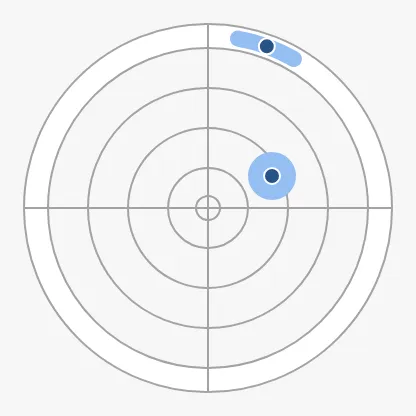
-
Size — the Pitch Roll Yaw fills the smaller side of its box as a circle; it has no
faceDiameter. -
Style and Events —
style.
The Pitch Roll Yaw has no state property. The Property Editor shows
motionRadius only with actual-motion and motionHistory only with
historical-motion; the other properties are always shown, also those the
chosen type does not use.
Component Events
Section titled “Component Events”The Pitch Roll Yaw has no component events of its own.
Examples
Section titled “Examples”Example 1 — Attitude with a Motion Envelope
Section titled “Example 1 — Attitude with a Motion Envelope”- Drop a Pitch Roll Yaw (Experimental) into the view and make it about 300 × 300 px.
- Set
typetoactual-motionandvesselImagetocargo-top. - Bind
pitch,rollandyawto[default]MRU/Pitch,[default]MRU/Rolland[default]MRU/YawDeviation. - Set
rangeto10andmotionRadiusto5, so the circle marks the motion allowed for the operation.
Found an error or something unclear?
Tell us what is wrong, confusing or missing on this page.
Built on the OpenBridge Design System