Tunnel Thruster
The Tunnel Thruster is a small symbol that shows the thrust of a tunnel thruster as a bar that fills to port or to starboard. It is found in the Maritime - OpenBridge section of the Perspective Component Palette as Tunnel Thruster.
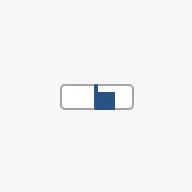
It is the indicator form of the Thruster with tunnel set: it
has no scale, setpoint or advice zones, and is meant for overviews where the
thruster is one of many things shown. See
Instruments and Indicators.
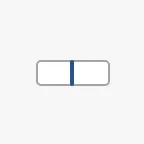
A Tunnel Thruster dropped from the palette shows no thrust, in the colours of
in-command (see State):
Thrust
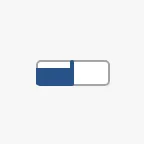
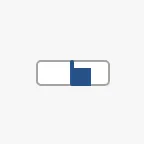
Section titled “Thrust”Bind value to the thrust as a fraction, from -1 to 1. Positive thrust
fills the bar from the centre line to the right (starboard), negative thrust to
the left (port). Values outside the range are drawn as full.
-1 |
-0.5 |
0 |
0.5 |
1 |
|---|---|---|---|---|
 |
 |
|
 |
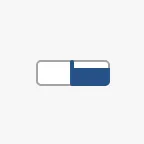 |
thrust is the older name of the same value, in percent (-100 to 100).
Views that use it keep working: when it is not 0, it sets value to thrust / 100. Use value in new views.
Properties
Section titled “Properties”| Name | Description | Property Type |
|---|---|---|
| value | Thrust as a fraction, -1 to 1; positive is starboard. Default 0. |
value |
| thrust | Deprecated: thrust in percent, -100 to 100. When not 0, sets value to thrust / 100. Default 0. |
value |
state tells whether this workstation controls the thruster. Like the
Rudder Indicator, it has other values than the
full instruments. The property is a free text field: type one of these values.
| state | ||
|---|---|---|
in-command |
This workstation is in command. The bar is drawn in the enhanced colour. | |
not-in-command |
The thruster is controlled from elsewhere. The bar is drawn in the regular colour. | 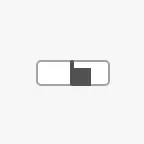 |
off |
No signal. The bar is not drawn and the centre line is dimmed. |  |
A new Tunnel Thruster has state in-command. An empty state or any other
text is drawn as not-in-command.
Properties
Section titled “Properties”| Name | Description | Property Type |
|---|---|---|
| state | in-command, not-in-command or off. Default in-command. |
value |
Silhouette
Section titled “Silhouette”Set hasSilhouette to true to draw an outline around the corners of the
symbol, which sets it off from a busy background such as a vessel drawing. The
outline is not drawn in the off state.
false (default) |
true |
|---|---|
|
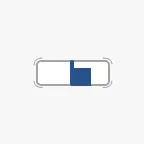 |
Properties
Section titled “Properties”| Name | Description | Property Type |
|---|---|---|
| hasSilhouette | Draw an outline around the symbol. Default false. |
value |
Unlike the other indicators, the Tunnel Thruster does not scale with its box. It is always 48 × 48 px, placed at the top left of the component’s box. The blue frame is the component’s box:
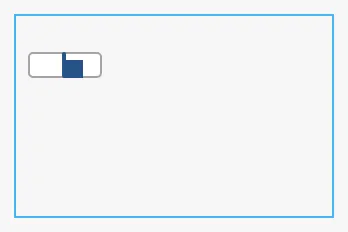
Make the component 48 × 48 px, so that its box and the symbol are the same.
Properties
Section titled “Properties”Properties not covered in the sections above:
| Name | Description | Property Type |
|---|---|---|
| style | Standard Perspective style object. | object |
Component Events
Section titled “Component Events”The Tunnel Thruster has no component events of its own.
Examples
Section titled “Examples”Example 1 — Bow Thruster on a Conning Overview
Section titled “Example 1 — Bow Thruster on a Conning Overview”- Drop a Tunnel Thruster onto the bow of the vessel drawing and make it 48 × 48 px.
- Bind
valueto the expression{[default]Propulsion/BowThruster/Thrust} / 100(the tag in percent). - Bind
stateto an expression such asif({[default]Bridge/InCommand}, 'in-command', 'not-in-command'). - Set
hasSilhouettetotrue.
Found an error or something unclear?
Tell us what is wrong, confusing or missing on this page.
Built on the OpenBridge Design System