Compass Flat
The Compass Flat shows the heading and the course over ground of the vessel on a straight compass strip that scrolls sideways, as on a head-up display or along the top of a conning screen. It is found in the Maritime - OpenBridge section of the Perspective Component Palette as Compass Flat.
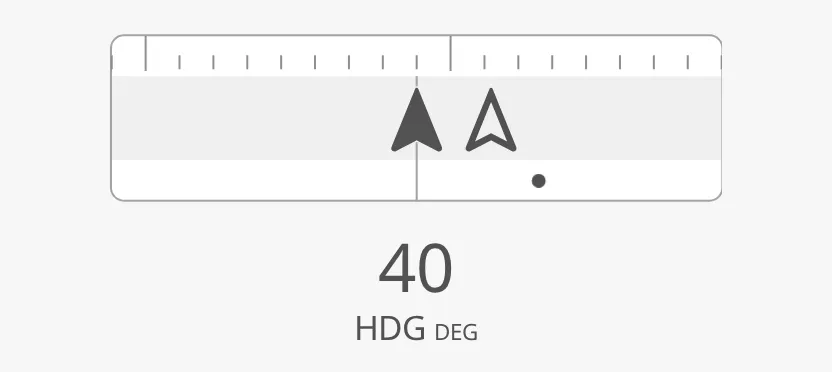
The parts of the instrument:
- Strip — the compass scale, with the heading always in the middle and the letters N, NE, E, … above it. See Heading and Course.
- Heading and course arrows — the filled arrow is the heading (HDG), the outlined arrow the course over ground (COG).
- Rate of turn — a moving dot or a bar along the bottom of the strip. See Rate of Turn.
- Readout — the heading as a number under the strip, if turned on. See Readout.
The Compass Flat is one of the maritime instruments; see
Maritime Instruments — Common Features. It is the straight
form of the Compass; the Compass Sector is
the same idea on a curved arc. Unlike most instruments it has no state, no
setpoint and no advice zones.
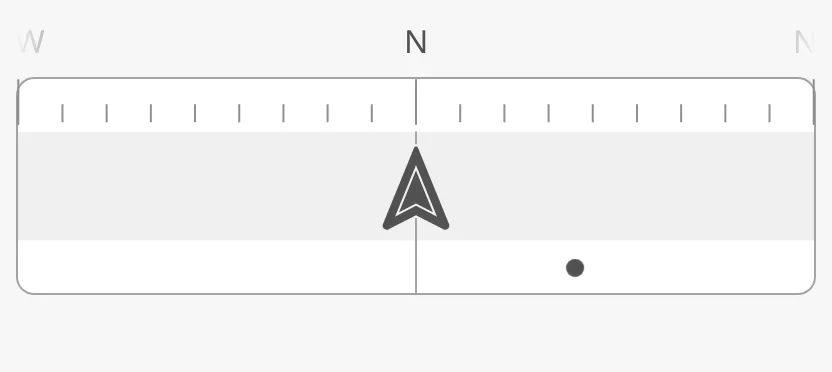
A Compass Flat dropped from the palette shows heading and course 0°:
Heading and Course
Section titled “Heading and Course”Bind heading to the heading of the vessel and courseOverGround to its course
over ground, both in degrees. The heading arrow stays in the middle and the
strip scrolls under it.
The strip zooms out by itself so that the course arrow always stays in view.
It shows at least minFOV degrees to each side of the heading; when the course
is further away than that, the strip widens until it reaches the course, up to
maxFOV:
| Course | |
|---|---|
| 12° from the heading | 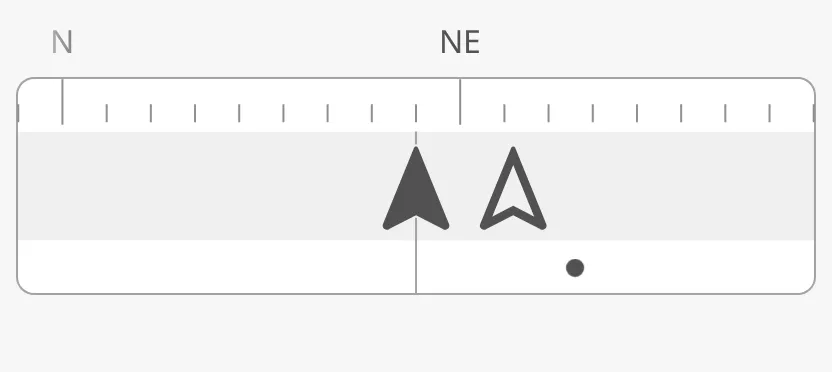 |
| 70° from the heading | 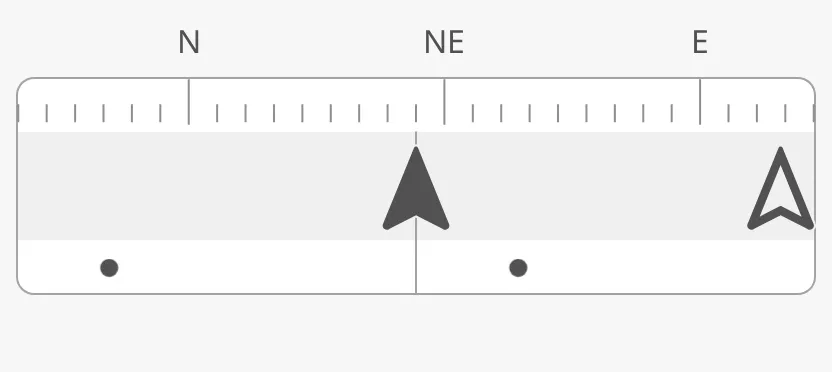 |
FOVIndicator writes the range shown under the strip: the degrees to port and
to starboard of the heading, and the heading itself in the middle.
tickInterval is the distance between the small tickmarks, in degrees.
| Property | |
|---|---|
FOVIndicator = true |
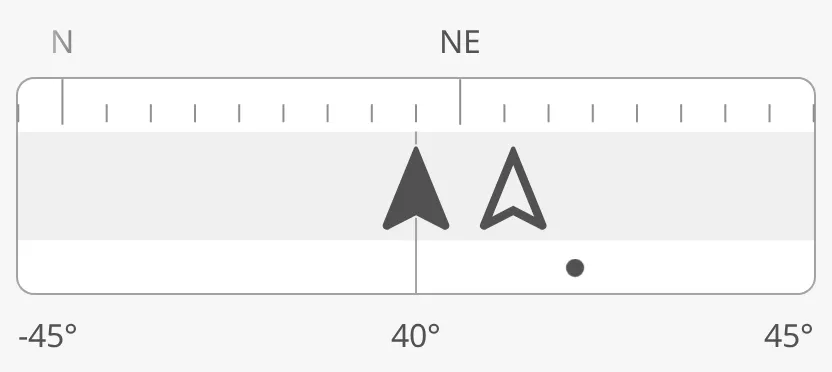 |
tickInterval = 10 |
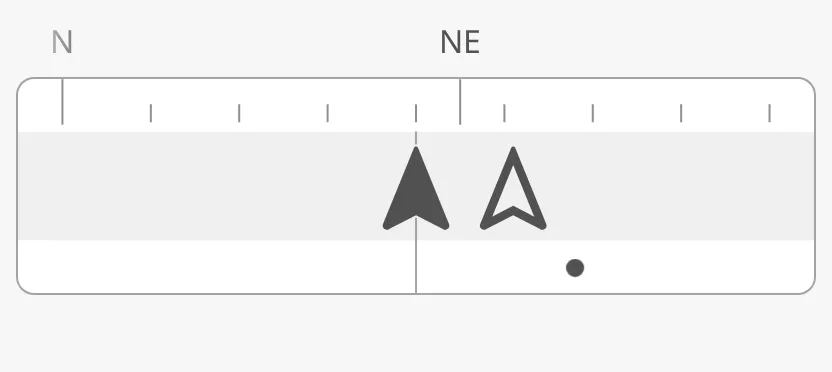 |
Properties
Section titled “Properties”| Name | Description | Property Type |
|---|---|---|
| heading | Heading of the vessel in degrees. Default 0. |
value |
| courseOverGround | Course over ground in degrees. Default 0. |
value |
| minFOV | Smallest range shown to each side of the heading, in degrees. Default 45. |
value |
| maxFOV | Largest difference between heading and course the strip widens for, in degrees. Default 180. |
value |
| FOVIndicator | Write the range shown, and the heading, under the strip. Default false. |
value |
| tickInterval | Degrees between the small tickmarks. Default 5. |
value |
Rate of Turn
Section titled “Rate of Turn”The strip has a rate-of-turn (ROT) track along its bottom edge. rotType
selects how the rate of turn is drawn:
| rotType | |
|---|---|
dots (default) |
|
bar |
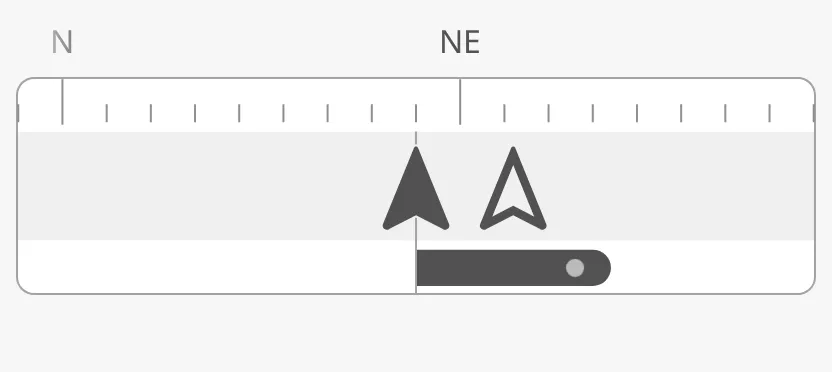 |
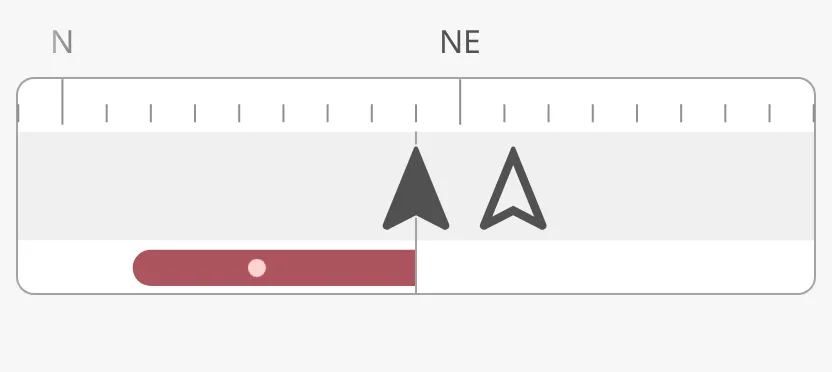
dots— a dot that moves along the track, faster the faster the vessel turns, in the direction of the turn.bar— a bar from the heading in the direction of the turn, longer for a faster turn.
The properties work as on the Compass; see
Compass — Rate of Turn: set
hasRateOfTurnDegreesPerMinute to true and bind rateOfTurnDegreesPerMinute
(positive is starboard); rotMaxValue and rotArcExtent set the length of the
bar, and rotPortStarboard colours it by the direction of the turn:
rotPortStarboard = true |
|
|---|---|
Starboard (20) |
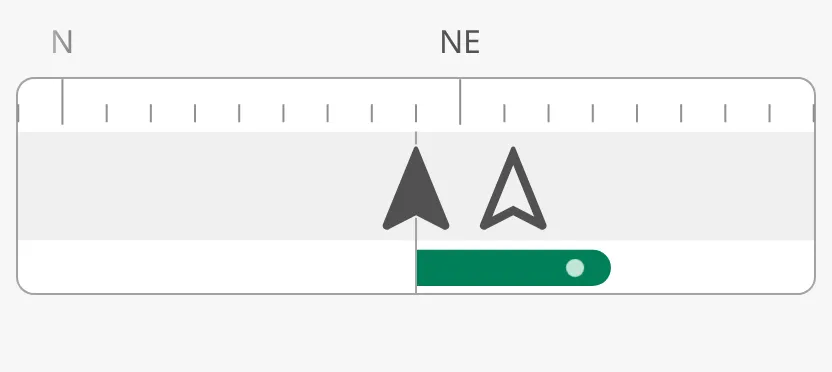 |
Port (-30) |
 |
The Compass Flat has no rotPosition: the track is always under the arrows.
Note: The rate-of-turn track cannot be turned off. As on the Compass, a new Compass Flat uses the deprecated
rotationsPerMinuteof0untilhasRateOfTurnDegreesPerMinuteis set, so the dot stands still in the middle until you bind the rate of turn.
Properties
Section titled “Properties”| Name | Description | Property Type |
|---|---|---|
| rotType | dots or bar. Default dots; auto leaves the choice to the component. |
value |
| hasRateOfTurnDegreesPerMinute | Use rateOfTurnDegreesPerMinute. Default false. |
value |
| rateOfTurnDegreesPerMinute | Rate of turn in degrees per minute; positive is starboard. Only shown when hasRateOfTurnDegreesPerMinute is true. |
value |
| rotDotAnimationFactor | How much faster than the real rate the dot moves. Default 18. |
value |
| rotMaxValue | Rate of turn, in degrees per minute, at which the bar is full. Default 60. |
value |
| rotArcExtent | Length of the full bar, in degrees of the strip. Default 60. |
value |
| rotAtZeroDeadband | Rate of turn below which the bar is shown as zero. Default 0.05. |
value |
| rotPortStarboard | Colour the bar by the direction of the turn. Default false. |
value |
| rotationsPerMinute | Deprecated. Used when hasRateOfTurnDegreesPerMinute is false. Default 0. |
value |
Readout
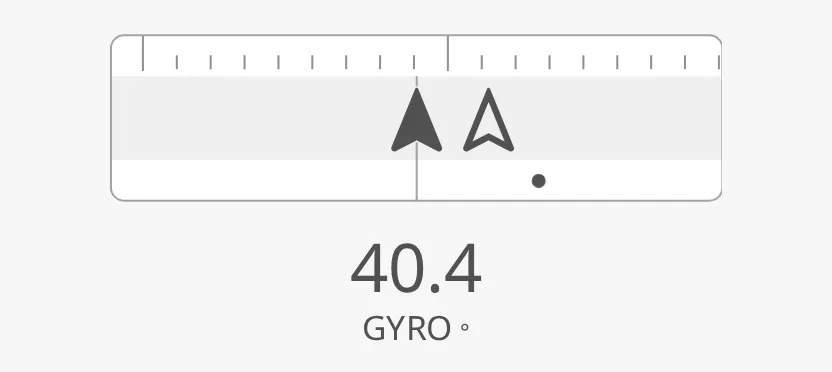
Section titled “Readout”Set hasReadout to true to show the heading as a number under the strip.
label and unit are written under the number, and fractionDigits sets the
number of decimals:
| Readout | |
|---|---|
hasReadout = true |
|
label GYRO, fractionDigits 1 |
 |
Note: A new Compass Flat has
labelHDGandunitDEG; clear them to show the number only. With the readout on, the strip makes room for it and the letters above the strip and theFOVIndicatorrange are no longer drawn.
Properties
Section titled “Properties”| Name | Description | Property Type |
|---|---|---|
| hasReadout | Show the heading as a number under the strip. Default false. |
value |
| label | Text under the number. Default HDG. Only shown when hasReadout is true. |
value |
| unit | Unit after the label. Default DEG. Only shown when hasReadout is true. |
value |
| fractionDigits | Number of decimals. Default 0. Only shown when hasReadout is true. |
value |
Priority
Section titled “Priority”priority works as described in Priority, but on the
Compass Flat it only colours the parts listed in priorityElements: hdg,
cog and rot. A new Compass Flat lists hdg. With priority enhanced and
an empty list nothing changes,
and with priority regular the list has no effect.
priority = enhanced |
|
|---|---|
priorityElements empty |
|
priorityElements = ["hdg"] (the default) |
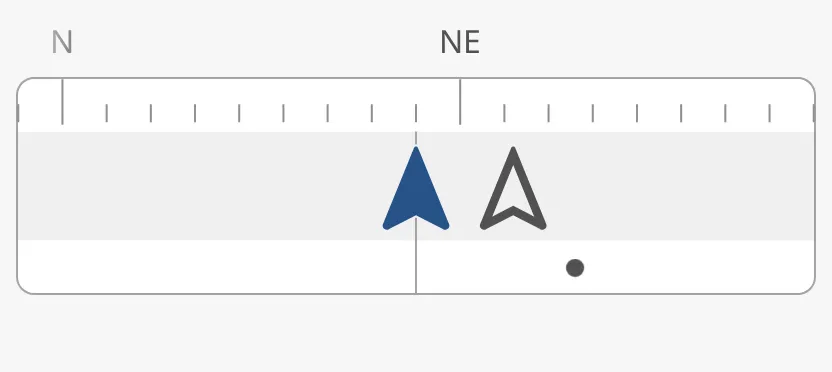 |
The colour of the readout follows the hdg entry.
Properties
Section titled “Properties”| Name | Description | Property Type |
|---|---|---|
| priority | regular or enhanced. Default regular. |
value |
| priorityElements | Parts drawn in the enhanced colour: hdg, cog, rot. Default ["hdg"]. |
array |
The strip is as wide as the component’s box, and its height follows from its width. It sits in the upper part of the box; the letters above the strip and the range under it need room inside the box, or they are cut off. Keep the height of the box at about a third of its width — a new component is 512 × 170. The blue frame is the component’s box:
| Box | |
|---|---|
| Too low (400 × 110) | 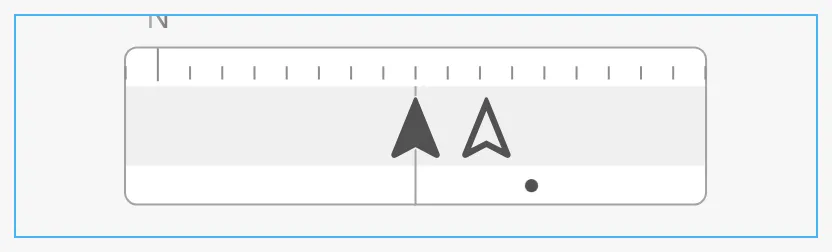 |
| Higher than needed (400 × 260) | 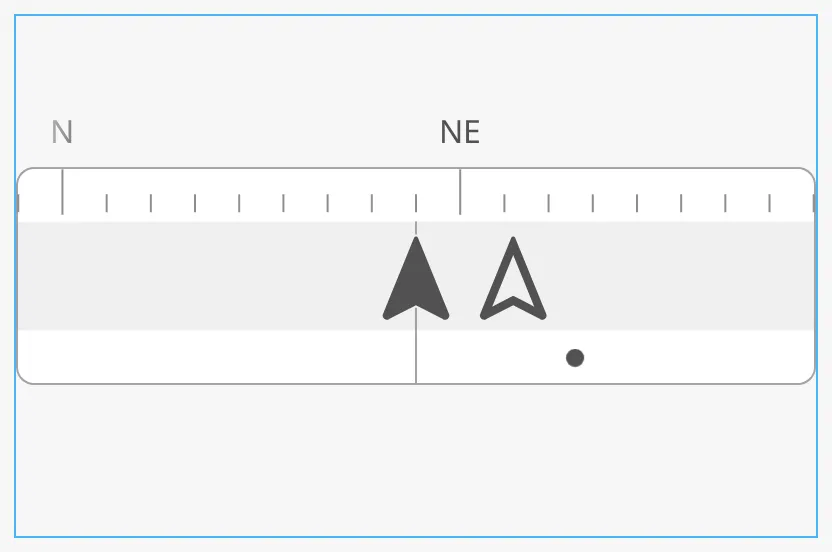 |
Properties
Section titled “Properties”Properties not covered in the sections above:
| Name | Description | Property Type |
|---|---|---|
| style | Standard Perspective style object. | object |
Component Events
Section titled “Component Events”The Compass Flat has no component events of its own. The standard Perspective events are available; see Style and Events.
Examples
Section titled “Examples”Example 1 — Heading Strip Along the Top of a Conning Screen
Section titled “Example 1 — Heading Strip Along the Top of a Conning Screen”- Drop a Compass Flat at the top of the view and make it 600 × 200.
- Bind
headingto[default]Nav/HeadingandcourseOverGroundto[default]Nav/COG. - Set
hasRateOfTurnDegreesPerMinutetotrue, bindrateOfTurnDegreesPerMinuteto[default]Nav/ROT, and setrotTypetobar. - Set
FOVIndicatortotrueso the operator sees the range of the strip.
Found an error or something unclear?
Tell us what is wrong, confusing or missing on this page.
Built on the OpenBridge Design System