Main Engine Indicator
The Main Engine Indicator is a small symbol that shows the speed and the thrust of a main engine as two bars. It is found in the Maritime - OpenBridge section of the Perspective Component Palette as Main Engine Indicator.

It is the indicator form of the Main Engine: it has no setpoints, scale or advice zones, and is meant for overviews where the engine is one of many things shown. See Instruments and Indicators.
A Main Engine Indicator dropped from the palette shows zero speed and zero thrust:

Speed and Thrust
Section titled “Speed and Thrust”Bind rpmValue to the engine speed as a fraction, from 0 to 1: the bar on
the left fills from the bottom. Bind pitchValue to the thrust as a fraction,
from -1 to 1: the bar on the right fills up from the zero line for ahead and
down for astern. Values outside the range are drawn at the end of the bar.
pitchValue = -1 |
-0.5 |
0 |
0.5 |
1 |
|---|---|---|---|---|
 |
 |
 |
 |
 |
rpmValue = 0 |
0.3 |
0.7 |
1 |
|---|---|---|---|
 |
 |
|
 |
speed and thrust are the older names of the same values, in percent (0
to 100 and -100 to 100). Views that use them keep working: when one is not
0, it sets rpmValue or pitchValue to its value divided by 100. Use
rpmValue and pitchValue in new views.
Properties
Section titled “Properties”| Name | Description | Property Type |
|---|---|---|
| rpmValue | Engine speed as a fraction, 0 to 1. Default 0. |
value |
| pitchValue | Thrust as a fraction, -1 to 1; positive is ahead. Default 0. |
value |
| speed | Deprecated: engine speed in percent, 0 to 100. When not 0, sets rpmValue to speed / 100. Default 0. |
value |
| thrust | Deprecated: thrust in percent, -100 to 100. When not 0, sets pitchValue to thrust / 100. Default 0. |
value |
State and Priority
Section titled “State and Priority”state tells whether the value shown can be trusted, as on the full
instruments (State). In the loading and off states the
bars are not drawn, so an old value is never shown:
active (default) |
loading |
off |
|---|---|---|
|
 |
 |
priority selects the colours of the bars, as in
Priority:
regular (default) |
enhanced |
|---|---|
|
 |
Properties
Section titled “Properties”| Name | Description | Property Type |
|---|---|---|
| state | active, loading or off. Default active. |
value |
| priority | regular or enhanced. Default regular. |
value |
Silhouette
Section titled “Silhouette”Set hasSilhouette to true to draw an outline around the symbol, which sets
it off from a busy background such as a vessel drawing. The outline is not drawn
in the off state.
false (default) |
true |
|---|---|
|
 |
Properties
Section titled “Properties”| Name | Description | Property Type |
|---|---|---|
| hasSilhouette | Draw an outline around the symbol. Default false. |
value |
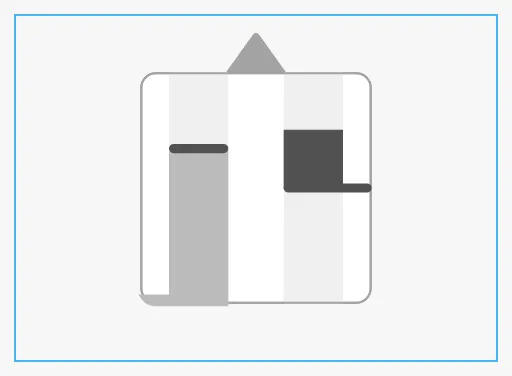
The indicator is square. It scales to fit the component’s box and is centred in it. The blue frame is the component’s box:
| Small box | Wide box |
|---|---|
 |
 |
Properties
Section titled “Properties”Properties not covered in the sections above:
| Name | Description | Property Type |
|---|---|---|
| style | Standard Perspective style object. | object |
Component Events
Section titled “Component Events”The Main Engine Indicator has no component events of its own.
Examples
Section titled “Examples”Example 1 — Main Engine on a Conning Overview
Section titled “Example 1 — Main Engine on a Conning Overview”- Drop a Main Engine Indicator onto the stern of the vessel drawing.
- Bind
rpmValueto the expression{[default]Propulsion/ME/SpeedPct} / 100andpitchValueto{[default]Propulsion/ME/ThrustPct} / 100. - Bind
stateto an expression such asif({[default]Propulsion/ME/Running}, 'active', 'off'). - Set
hasSilhouettetotrue.
Found an error or something unclear?
Tell us what is wrong, confusing or missing on this page.
Built on the OpenBridge Design System