Propulsion Azimuth Indicator
The Propulsion Azimuth Indicator is a small symbol that shows the direction of an azimuth thruster and how hard it pushes. It is found in the Maritime - OpenBridge section of the Perspective Component Palette as Propulsion Azimuth Indicator.

It is the indicator form of the Azimuth Thruster: it has no scale, labels, setpoints or advice zones, and is meant for overviews where the thruster is one of many things shown. See Instruments and Indicators.
The parts of the symbol:
- Reference mark — the triangle at the top, which stays in place. It marks ahead.
- Track — the rounded bar, which turns with
azimuth. - Block — the square on the track, which moves along it with
value.
A Propulsion Azimuth Indicator dropped from the palette points ahead, with the block in the middle of the track:
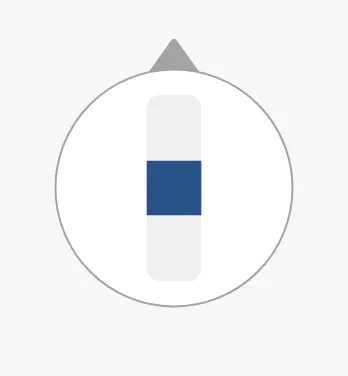
Azimuth
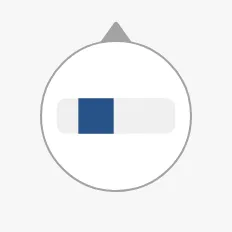
Section titled “Azimuth”Bind azimuth to the direction of the thruster in degrees. At 0 the track
points at the reference mark; positive angles turn it clockwise.
0 |
30 |
90 |
-135 |
|---|---|---|---|
 |
 |
 |
 |
Properties
Section titled “Properties”| Name | Description | Property Type |
|---|---|---|
| azimuth | Direction in degrees; 0 is ahead. Default 0. |
value |
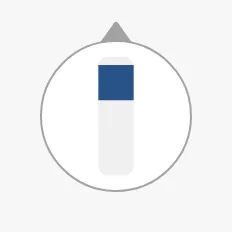
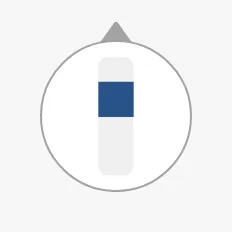
Bind value to the thrust as a fraction, from -1 to 1. At 0 the block is
in the middle of the track. Positive values move the block away from the
reference mark, negative values towards it; -1 and 1 put it at the ends of
the track, and values beyond are drawn there too. The images show it at an
azimuth of 0°:
-1 |
-0.5 |
0 |
0.5 |
1 |
|---|---|---|---|---|
 |
 |
 |
 |
 |
Note: This is the opposite of the Azimuth Thruster, where positive thrust fills the bar towards the arrow. Check the direction against your signal, and negate it in the binding if needed.
Properties
Section titled “Properties”| Name | Description | Property Type |
|---|---|---|
| value | Thrust as a fraction, -1 to 1. Default 0. |
value |
Type and State
Section titled “Type and State”type selects the colour of the block. It plays the part that priority plays
on the other instruments (Priority):
enhanced (default) |
regular |
|---|---|
|
 |
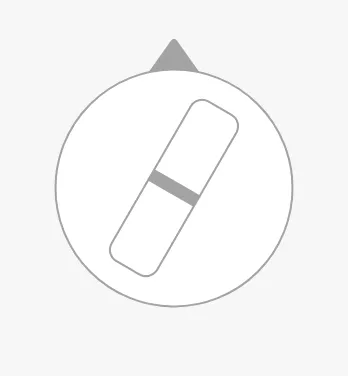
state has the values of the full instruments, but only off changes the
symbol: the track is drawn as an outline and the block as a line. loading
looks the same as active.
active (default) |
loading |
off |
|---|---|---|
|
|
 |
Properties
Section titled “Properties”| Name | Description | Property Type |
|---|---|---|
| type | enhanced or regular. Default enhanced. |
value |
| state | active, loading or off. Default active. |
value |
Silhouette
Section titled “Silhouette”Set hasSilhouette to true to draw an outline around the symbol, which sets
it off from a busy background such as a vessel drawing. The outline is not drawn
in the off state.
false (default) |
true |
|---|---|
|
 |
Properties
Section titled “Properties”| Name | Description | Property Type |
|---|---|---|
| hasSilhouette | Draw an outline around the symbol. Default false. |
value |
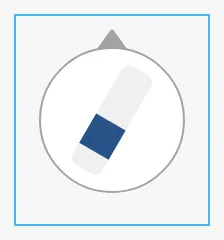
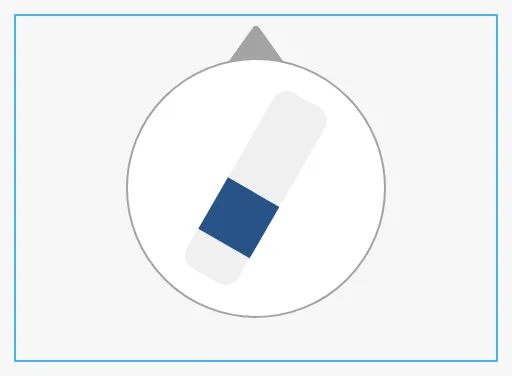
The indicator is square. It scales to fit the component’s box and is centred in it. The blue frame is the component’s box:
| Small box | Wide box |
|---|---|
 |
 |
Properties
Section titled “Properties”Properties not covered in the sections above:
| Name | Description | Property Type |
|---|---|---|
| style | Standard Perspective style object. | object |
Component Events
Section titled “Component Events”The Propulsion Azimuth Indicator has no component events of its own.
Examples
Section titled “Examples”Example 1 — Two Azimuth Thrusters on a Conning Overview
Section titled “Example 1 — Two Azimuth Thrusters on a Conning Overview”- Drop two Propulsion Azimuth Indicators onto the stern of the vessel drawing, one on each side.
- On the port one, bind
azimuthto[default]Propulsion/Azi1/Angleandvalueto the expression{[default]Propulsion/Azi1/Thrust} / 100, to turn the thrust in percent into a fraction. - Do the same on the starboard one with the
Azi2tags. - Set
hasSilhouettetotrueon both.
Found an error or something unclear?
Tell us what is wrong, confusing or missing on this page.
Built on the OpenBridge Design System