Speed Indicator
The Speed Indicator is a small symbol of the speed of the vessel. It is found in the Maritime - OpenBridge section of the Perspective Component Palette as Speed Indicator.
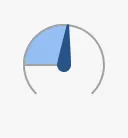
It is the indicator form of the Speed Gauge: it has no scale, labels, setpoint or advice zones, and is meant for overviews where the exact speed is shown elsewhere. See Instruments and Indicators.
A Speed Indicator dropped from the palette shows a dial at 0:

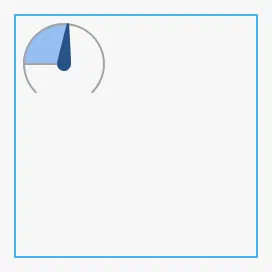
The indicator has a fixed size of about 48 × 53 px, the size of a new component, and sits at the top left of the component’s box; it does not grow with the box. The blue frame is the component’s box:
Needle
Section titled “Needle”With type Needle (the default) the speed is a needle on a dial, and the
area from zero to the needle is filled. maxSpeed is the end of the dial.
Speeds below zero are shown as zero and speeds above maxSpeed as maxSpeed.
speed = 0 |
8.5, maxSpeed = 20 |
20 |
|---|---|---|
|
|
 |
Properties
Section titled “Properties”| Name | Description | Property Type |
|---|---|---|
| type | Needle or LongLat. Default Needle. |
value |
| speed | The speed. Default 0. |
value |
| maxSpeed | Speed at the end of the dial. Default 100. |
value |
Longitudinal and Lateral Speed
Section titled “Longitudinal and Lateral Speed”With type LongLat the indicator shows the own ship from above, with
chevrons around it for the direction and size of the speed — for example
ahead and sideways while docking. speed and maxSpeed are not used.
longLatLevels is a list of six numbers, one per position around the ship,
each the number of chevrons there: 0 (none) to 3. With
[2, 1, 0, 0, 2, 0]:
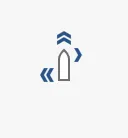
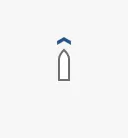
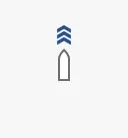
The positions, clockwise from the bow:
| Position | Where | Image |
|---|---|---|
| 1st | Ahead | 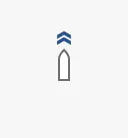 |
| 2nd | Starboard, forward | 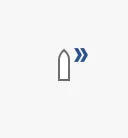 |
| 3rd | Starboard, aft | 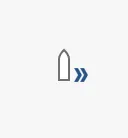 |
| 4th | Astern | 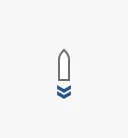 |
| 5th | Port, aft | 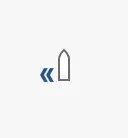 |
| 6th | Port, forward |  |
1 |
2 |
3 |
|---|---|---|
 |
|
 |
A number above 3 draws three chevrons. The list is empty on a new component, which draws the ship without chevrons:

The indicator does not compute the levels: bind longLatLevels to an
expression or script that turns the speed components into levels.
Properties
Section titled “Properties”| Name | Description | Property Type |
|---|---|---|
| longLatLevels | Six numbers, 0 to 3: the chevrons at each position, clockwise from the bow. Empty by default. |
array |
Properties
Section titled “Properties”Properties not covered in the sections above:
| Name | Description | Property Type |
|---|---|---|
| style | Standard Perspective style object. | object |
The indicator has no state or priority.
Component Events
Section titled “Component Events”The Speed Indicator has no component events of its own.
Examples
Section titled “Examples”Example 1 — Speed on a Fleet Overview
Section titled “Example 1 — Speed on a Fleet Overview”- Drop a Speed Indicator next to the vessel name
MS Nordkapp. - Set
maxSpeedto20and bindspeedto[default]Nav/SpeedOverGround.
Example 2 — Docking Display
Section titled “Example 2 — Docking Display”- Drop a Speed Indicator and set
typetoLongLat. - Bind
longLatLevelsto an expression that gives one level per position, for example aheadif({[default]Nav/LongSpeed} > 0.5, 2, if({[default]Nav/LongSpeed} > 0.1, 1, 0)), and the other five in the same way. A script transform that returns the list of six numbers is simplest.
Found an error or something unclear?
Tell us what is wrong, confusing or missing on this page.
Built on the OpenBridge Design System