Roll Indicator
The Roll Indicator is a small symbol that shows the roll of the vessel: a vessel seen from the fore that tilts, and a filled sector in a short track at the bottom. It is found in the Maritime - OpenBridge section of the Perspective Component Palette as Roll Indicator.

It is the indicator form of the Roll: it has no scale, labels or advice, and is meant for overviews where the roll is one of many things shown. See Instruments and Indicators.
A Roll Indicator dropped from the palette shows a roll of 0:

value is the roll as a fraction of its range, from -1 to 1, not in
degrees. Divide the roll by the largest roll you want to show, for example
with the expression {[default]Motion/Roll} / 10 for a range of ±10°. Values
beyond -1 and 1 are shown as -1 and 1. A positive value turns the symbol
clockwise, as on the Roll.
-1 |
-0.5 |
0 |
0.5 |
1 |
|---|---|---|---|---|
 |
 |
|
|
 |
Properties
Section titled “Properties”| Name | Description | Property Type |
|---|---|---|
| value | Roll as a fraction of the range, -1 to 1. Default 0. |
value |
type selects the colour of the sector and the pointer. It works like
Priority on the instruments, but the default is
enhanced:
enhanced (default) |
regular |
|---|---|
|
 |
Properties
Section titled “Properties”| Name | Description | Property Type |
|---|---|---|
| type | enhanced or regular. Default enhanced. |
value |
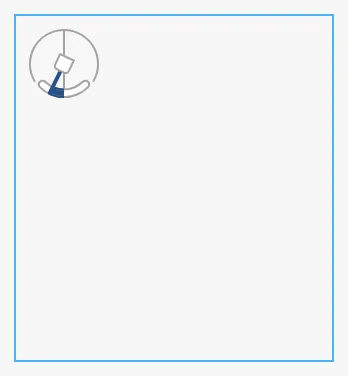
The Roll Indicator is always 48 × 48 px, and is placed at the top left of the component’s box whatever the size of the box. A new Roll Indicator is 158 × 172 px, the blue frame below; set its size to 48 × 48 px so that the box matches the symbol:
Properties
Section titled “Properties”Properties not covered in the sections above:
| Name | Description | Property Type |
|---|---|---|
| style | Standard Perspective style object. | object |
The Roll Indicator has no state property.
Component Events
Section titled “Component Events”The Roll Indicator has no component events of its own.
Examples
Section titled “Examples”Example 1 — Roll on a Status Row
Section titled “Example 1 — Roll on a Status Row”- Drop a Roll Indicator into the view and set its size to 48 × 48 px.
- Bind
valueto the expression{[default]Motion/Roll} / 10, for a range of ±10°. - Set
typetoregularif the roll is not the focus of the view.
Found an error or something unclear?
Tell us what is wrong, confusing or missing on this page.
Built on the OpenBridge Design System