Speed Arrows
The Speed Arrows show the direction of movement with one to three chevrons: more chevrons, more speed. A readout can show the speed in knots above them. The component is found in the Maritime - OpenBridge section of the Perspective Component Palette as Speed Arrows (Beta).
Note: This component is in beta: its properties may change in a later version.
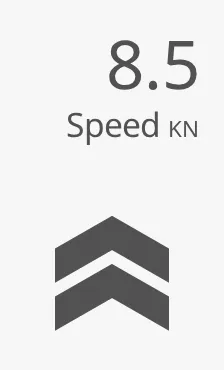
The Speed Arrows are a symbol, like the indicators of the maritime instruments: they show the values they are given and compute nothing themselves.
A Speed Arrows component dropped from the palette shows one chevron:
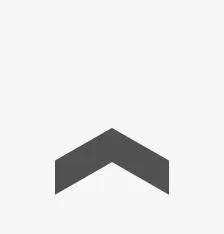
With nActiveArrows 0 and tintedArrows false it draws nothing.
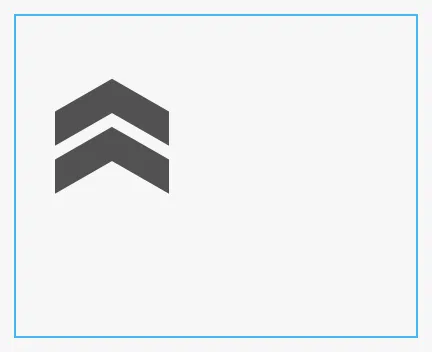
The arrows have a fixed size of 96 × 101 px (169 px tall with the readout) and sit at the top left of the component’s box; they do not grow or shrink with the box. A new component has a box of 96 × 101 px. The blue frame is the component’s box:
Number of Arrows
Section titled “Number of Arrows”nActiveArrows is the number of chevrons drawn, 0 to 3. Larger numbers
draw three. Inactive chevrons are not drawn at all, unless tintedArrows is
true: then all three positions are drawn, the inactive ones in a light tint.
| nActiveArrows | tintedArrows = false (default) |
tintedArrows = true |
|---|---|---|
0 |
 |
 |
1 |
|
 |
2 |
 |
 |
3 |
 |
Use tintedArrows where the operator should see how far the speed is from the
maximum.
Properties
Section titled “Properties”| Name | Description | Property Type |
|---|---|---|
| nActiveArrows | Number of chevrons, 0 to 3. Default 1. |
value |
| tintedArrows | Draw the inactive chevrons in a light tint. Default false. |
value |
Direction and Colour
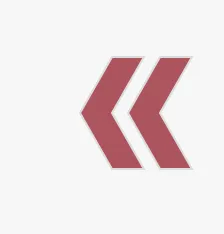
Section titled “Direction and Colour”direction turns the chevrons. activeColor selects their colour:
| direction | activeColor = Regular (default) |
activeColor = Direction |
|---|---|---|
forward (default) |
|
 |
backward |
 |
 |
left |
 |
 |
right |
 |
 |
-
Regular— the neutral colour. -
Enhanced— the enhanced (blue) colour, for the value the operator is steering by:
-
Direction— green forforwardandright, red forbackwardandleft, like the starboard and port lights.
Properties
Section titled “Properties”| Name | Description | Property Type |
|---|---|---|
| direction | forward, backward, left or right. Default forward. |
value |
| activeColor | Regular, Enhanced or Direction. Default Regular. |
value |
Readout
Section titled “Readout”Set readout to true to show the speed above the chevrons, with the fixed
label Speed and the unit KN. Bind speedKnots to the speed.
fractionDigits is the number of decimals (default 0, so 8.5 is shown as 9)
and maxDigits the number of digits before the decimal point that the readout
makes room for.
fractionDigits = 1 |
fractionDigits = 0 (default) |
|---|---|
|
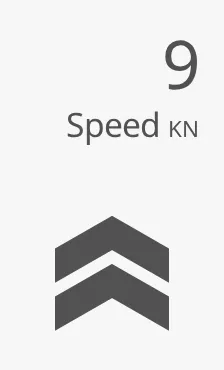 |
The readout adds 68 px above the chevrons: make the box 169 px tall. The
number of chevrons is not derived from the speed; bind nActiveArrows
separately.
Properties
Section titled “Properties”| Name | Description | Property Type |
|---|---|---|
| readout | Show the speed above the chevrons. Default false. |
value |
| speedKnots | The speed in knots. Only shown when readout is true. Default 0. |
value |
| fractionDigits | Number of decimals. Only shown when readout is true. Default 0. |
value |
| maxDigits | Digits before the decimal point to make room for. Only shown when readout is true. Default 2. |
value |
Properties
Section titled “Properties”Properties not covered in the sections above:
| Name | Description | Property Type |
|---|---|---|
| style | Standard Perspective style object. | object |
Component Events
Section titled “Component Events”The Speed Arrows have no component events of their own.
Examples
Section titled “Examples”Example 1 — Speed Ahead in Three Steps
Section titled “Example 1 — Speed Ahead in Three Steps”- Drop a Speed Arrows component into the view and make it 96 × 169 px.
- Set
readouttotrue,fractionDigitsto1and bindspeedKnotsto[default]Nav/SpeedThroughWater. - Bind
nActiveArrowsto the expressionif({[default]Nav/SpeedThroughWater} > 12, 3, if({[default]Nav/SpeedThroughWater} > 6, 2, if({[default]Nav/SpeedThroughWater} > 0.5, 1, 0))). - Bind
directiontoif({[default]Nav/SpeedThroughWater} < 0, 'backward', 'forward'), setactiveColortoDirectionandtintedArrowstotrue.
Found an error or something unclear?
Tell us what is wrong, confusing or missing on this page.
Built on the OpenBridge Design System