Surge Sway Yaw
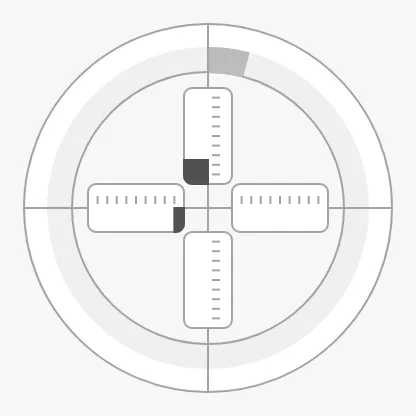
The Surge Sway Yaw shows the motion of the vessel in the horizontal plane: surge (fore and aft) on the vertical scale, sway (sideways) on the horizontal scale, and yaw (rotation) on the ring. Each has its own setpoint. It is found in the Maritime - OpenBridge section of the Perspective Component Palette as Surge Sway Yaw (Experimental).
Note: This component is experimental: its properties may change in a later version.
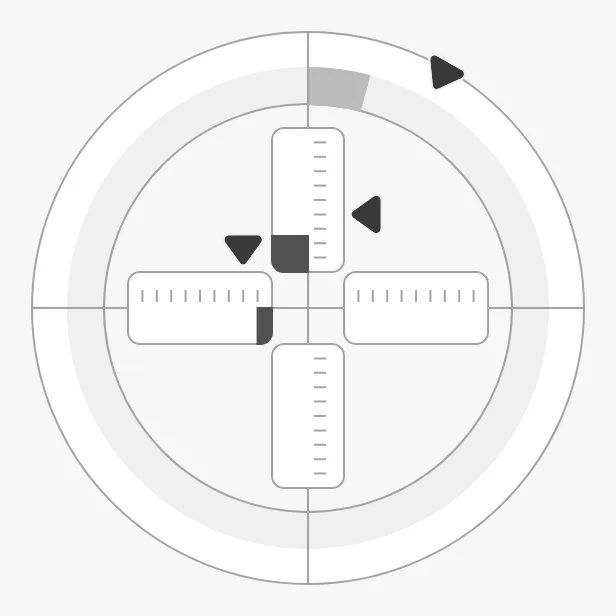
The parts of the instrument:
- Surge scale — vertical, positive up (forward). See Values.
- Sway scale — horizontal, positive right (starboard).
- Yaw ring — 0° at the top, positive clockwise.
- Setpoints — a triangular marker for each axis. See Setpoints.
It is a maritime instrument: state, priority, setpoints, tickmarks and sizing work as described in Maritime Instruments — Common Features.
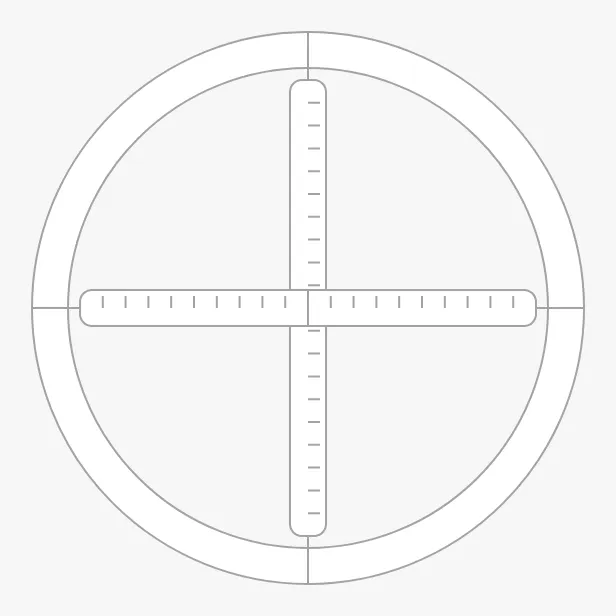
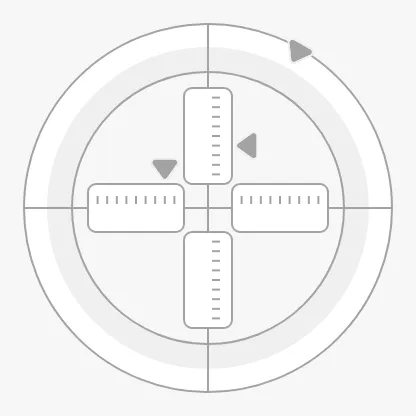
A Surge Sway Yaw dropped from the palette shows no setpoints and no values (shown here at 300 × 300 px):
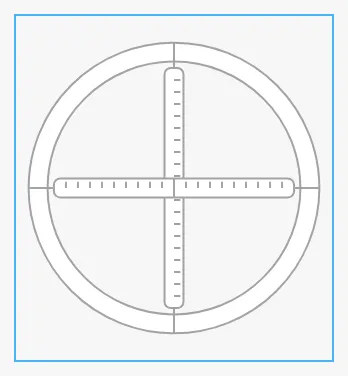
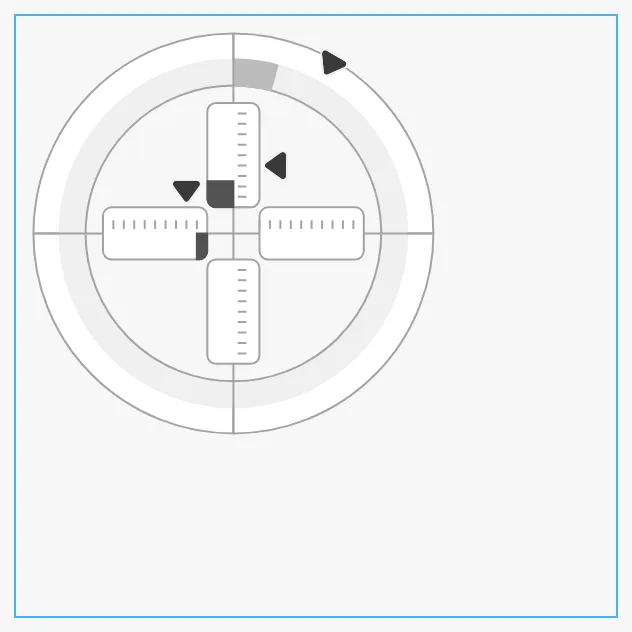
A new Surge Sway Yaw is only 158 × 172 px, the blue frame below. Make it larger:
Variants
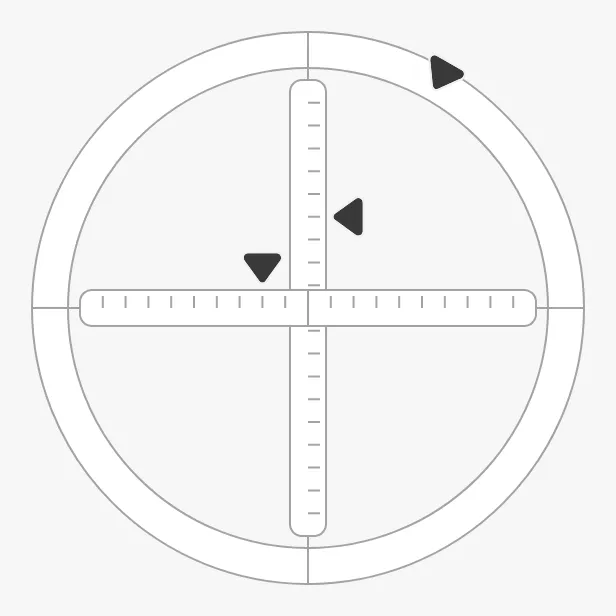
Section titled “Variants”type selects whether the actual values are drawn:
input (default) |
input-output |
|---|---|
 |
|
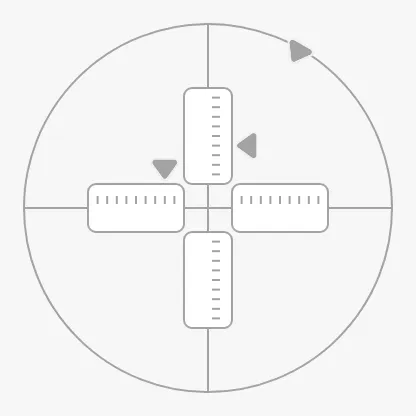
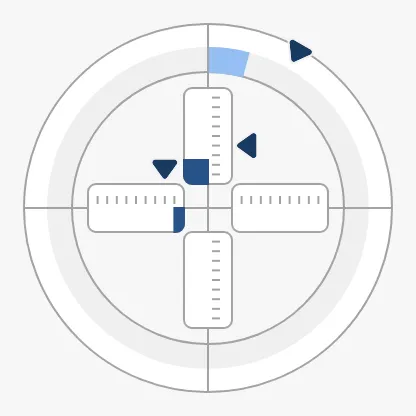
input— the three setpoint markers only, on a thin ring with full-length scales. For a control that orders motion, such as a joystick.input-output— also the actual values: a band on the ring with the yaw as an arc from 0°, and four half-scales with the surge and sway as bars from the centre.
Properties
Section titled “Properties”| Name | Description | Property Type |
|---|---|---|
| type | input or input-output. Default input. |
value |
Values
Section titled “Values”Bind surge and sway in percent of the scale, from -100 to 100, and yaw in
degrees, from -180 to 180. Positive surge is forward (up), positive sway is to
starboard (right), and positive yaw is clockwise. The values are drawn with
type input-output only, but always count for “at setpoint”.
Properties
Section titled “Properties”| Name | Description | Property Type |
|---|---|---|
| surge | Surge in percent, -100 to 100; positive is forward. Default 0. |
value |
| sway | Sway in percent, -100 to 100; positive is starboard. Default 0. |
value |
| yaw | Yaw in degrees, -180 to 180; positive is clockwise. Default 0. |
value |
Setpoints
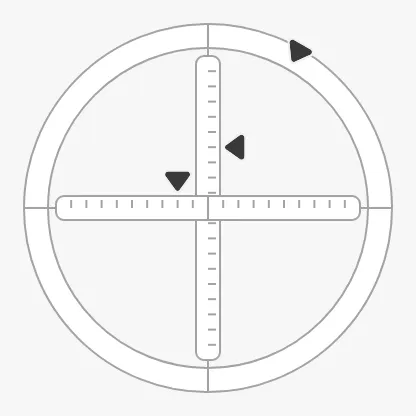
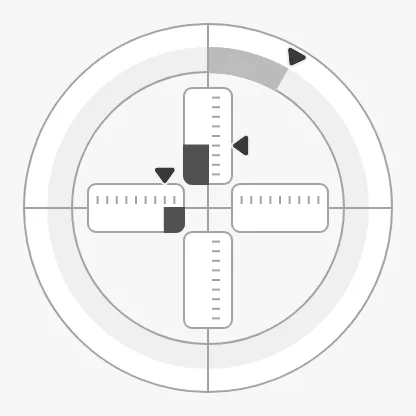
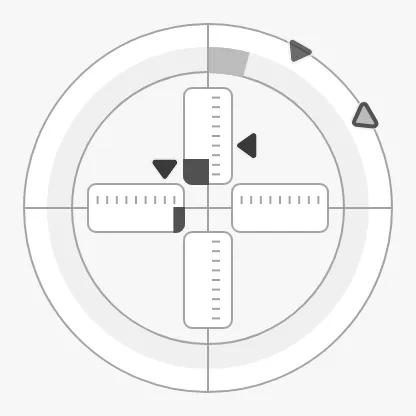
Section titled “Setpoints”Each axis has a full set of setpoint properties, which work as described in
Setpoint with the name of the axis in them:
hasSurgeSetpoint and surgeSetpoint, hasSwaySetpoint and swaySetpoint,
hasYawSetpoint and yawSetpoint, and so on. The surge marker is beside the
vertical scale, the sway marker above the horizontal scale, and the yaw marker
on the ring.
| Setpoints 40 %, -20 % and 30° | Reached | A new yaw setpoint of 60° |
|---|---|---|
 |
 |
 |
Unlike most instruments, the Surge Sway Yaw decides by itself when a setpoint is
reached: autoAtSurgeSetpoint, autoAtSwaySetpoint and autoAtYawSetpoint are
true by default, with deadbands of 1 %, 1 % and 2°.
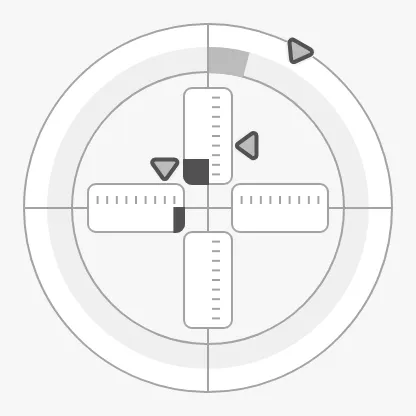
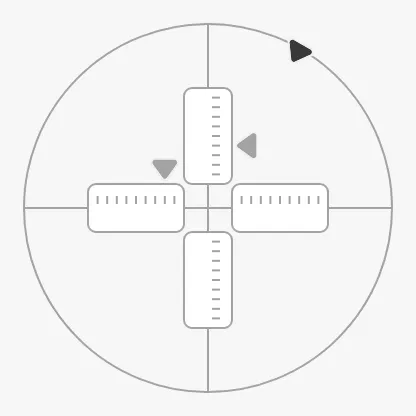
touching draws all markers in their focus form, and …SetpointOverride keeps
a marker in its colour in the loading and off states:
touching = true |
state off, yawSetpointOverride = true |
|---|---|
 |
 |
Properties
Section titled “Properties”The surge properties are listed; the sway and yaw ones are the same with
Sway or Yaw in place of Surge.
| Name | Description | Property Type |
|---|---|---|
| hasSurgeSetpoint | Show the surge setpoint. Default false. |
value |
| surgeSetpoint | Ordered surge in percent. Only shown when hasSurgeSetpoint is true. |
value |
| hasNewSurgeSetpoint | Show a second marker for a surge setpoint that is being chosen. Default false. Only shown when hasSurgeSetpoint is true. |
value |
| newSurgeSetpoint | The surge setpoint being chosen. Only shown when hasNewSurgeSetpoint is true. |
value |
| autoAtSurgeSetpoint | Let the instrument decide when the setpoint is reached. Default true. |
value |
| autoAtSurgeSetpointDeadband | How far the value may be from the setpoint and still count as reached. Default 1 (yaw 2). |
value |
| atSurgeSetpoint | Whether the setpoint is reached, when autoAtSurgeSetpoint is false. Default false. |
value |
| surgeSetpointAtZeroDeadband | How close to zero the setpoint must be to be drawn in its “zero” form. Default 0.1 (yaw 0.5). |
value |
| surgeSetpointOverride | Keep the marker in its colour in the loading and off states. Default false. |
value |
| touching | The operator is operating the control. Default false. |
value |
| animateSetpoint | Animate the markers when a new setpoint is confirmed. Default false. |
value |
Ring Scale
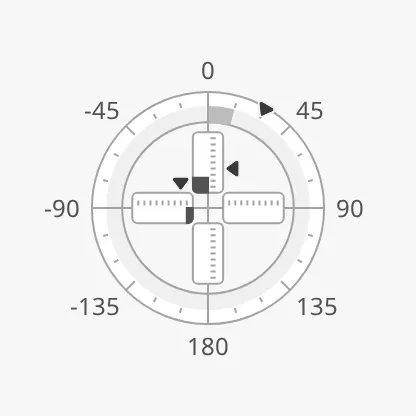
Section titled “Ring Scale”The ring has tickmarks in degrees, turned on with hasPrimaryTickmarkInterval
(default interval 45°), hasSecondaryTickmarkInterval (15°) and
hasTertiaryTickmarkInterval (5°), as described in Scale.
showLabels writes the degrees at the primary tickmarks; the instrument is made
smaller to leave room for them.
Properties
Section titled “Properties”| Name | Description | Property Type |
|---|---|---|
| hasPrimaryTickmarkInterval | Show the primary tickmarks. Default false. |
value |
| primaryTickmarkInterval | Degrees between them. Default 45. Only shown when hasPrimaryTickmarkInterval is true. |
value |
| hasSecondaryTickmarkInterval | Show the secondary tickmarks. Default false. |
value |
| secondaryTickmarkInterval | Degrees between them. Default 15. Only shown when hasSecondaryTickmarkInterval is true. |
value |
| hasTertiaryTickmarkInterval | Show the tertiary tickmarks. Default false. |
value |
| tertiaryTickmarkInterval | Degrees between them. Default 5. Only shown when hasTertiaryTickmarkInterval is true. |
value |
| showLabels | Show the degrees at the primary tickmarks. Default false. |
value |
State and Priority
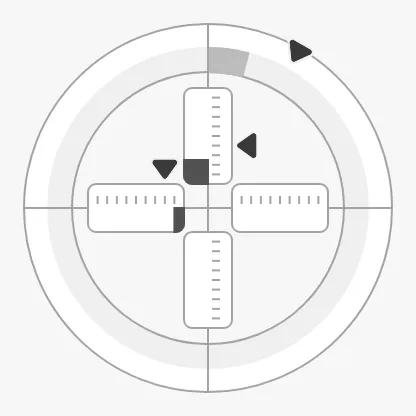
Section titled “State and Priority”state and priority work as described in State and
Priority. In the off state the values are not drawn.
active |
loading |
off |
|---|---|---|
 |
 |
 |
The Surge Sway Yaw fills the smaller side of its box as a circle, centred in
it. With hasFaceDiameter and faceDiameter it has a fixed size instead and
is placed at the top left of the box (the blue frame), as described in
Size:
Common Properties
Section titled “Common Properties”These work in the same way on every maritime instrument, and are described in Maritime Instruments — Common Features:
- State —
state. - Priority —
priority. - Setpoint — the surge, sway and yaw setpoint properties above.
- Scale —
showLabelsand the tickmark intervals. - Size —
hasFaceDiameter,faceDiameter. - Style and Events —
style.
Component Events
Section titled “Component Events”The Surge Sway Yaw has no component events of its own.
Examples
Section titled “Examples”Example 1 — Dynamic Positioning Overview
Section titled “Example 1 — Dynamic Positioning Overview”- Drop a Surge Sway Yaw (Experimental) into the view and make it about 300 × 300 px.
- Set
typetoinput-output. - Bind
surge,swayandyawto[default]DP/SurgeFeedback,[default]DP/SwayFeedbackand[default]DP/YawFeedback. - Set
hasSurgeSetpoint,hasSwaySetpointandhasYawSetpointtotrue, and bindsurgeSetpoint,swaySetpointandyawSetpointto the orders of the DP system. - Bind
statetoif(isGood({[default]DP/SurgeFeedback}), 'active', 'off').
Found an error or something unclear?
Tell us what is wrong, confusing or missing on this page.
Built on the OpenBridge Design System