Heading Indicator
The Heading Indicator is a small symbol, 48 px across, used as a status cue
for heading-related modes: a heading on a compass face (HDG), or the
deviation from a planned track (XTD, cross-track deviation). It is found in
the Maritime - OpenBridge section of the Perspective Component Palette as
Heading Indicator.
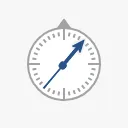
It is one of the indicators of the maritime instruments: it has no scale, state or priority. See Instruments and Indicators. For a full heading instrument, see Heading.
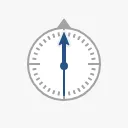
A Heading Indicator dropped from the palette shows a heading of 0°:
| type | ||
|---|---|---|
HDG (default) |
A compass face with a needle turned to angle. |
|
XTD |
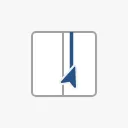
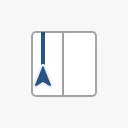
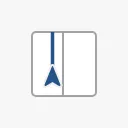
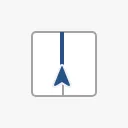
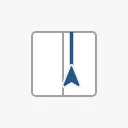
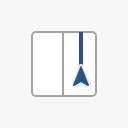
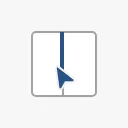
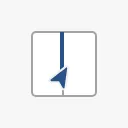
A frame with a centre line (the planned track) and an arrow for the vessel, moved by xtd. |
 |
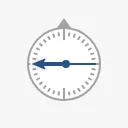
Bind angle to the heading in degrees:
0 |
40 |
270 |
|---|---|---|
|
|
 |
Bind xtd to the cross-track deviation, scaled to the range -1 to 1: -1
puts the vessel at the left edge of the frame, 0 on the track and 1 at the
right edge. Scale the deviation to the width of the corridor yourself, for
example with an expression that divides it by the allowed deviation.
-1 |
-0.5 |
0 |
0.5 |
1 |
|---|---|---|---|---|
 |
 |
 |
 |
 |
angle turns the arrow, to show the heading relative to the track:
angle = -30 |
angle = 30 |
|---|---|
 |
 |
Properties
Section titled “Properties”| Name | Description | Property Type |
|---|---|---|
| type | HDG or XTD. Default HDG. |
value |
| angle | Heading in degrees (HDG), or the turn of the arrow (XTD). Default 0. |
value |
| xtd | Cross-track deviation from -1 to 1. Used by XTD. Default 0. |
value |
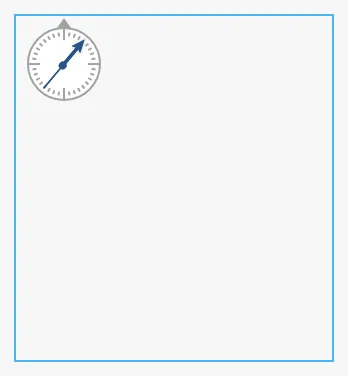
The symbol is always 48 × 48 px and sits at the top left of the component’s box; it does not grow with the box. A new Heading Indicator is 158 × 172, much larger than the symbol, so make the box 48 × 48. The blue frame is the component’s box as dropped from the palette:
Properties
Section titled “Properties”Properties not covered in the sections above:
| Name | Description | Property Type |
|---|---|---|
| style | Standard Perspective style object. | object |
Component Events
Section titled “Component Events”The Heading Indicator has no component events of its own.
Examples
Section titled “Examples”Example 1 — Track Keeping Cue
Section titled “Example 1 — Track Keeping Cue”- Drop a Heading Indicator next to the autopilot mode button and make it 48 × 48.
- Set
typetoXTD. - Bind
xtdto an expression that scales the cross-track deviation to the corridor, for examplemax(-1, min(1, {[default]Nav/XTD} / {[default]Route/CorridorWidth})). - Bind
angleto{[default]Nav/Heading} - {[default]Route/LegCourse}.
Found an error or something unclear?
Tell us what is wrong, confusing or missing on this page.
Built on the OpenBridge Design System