Pitch
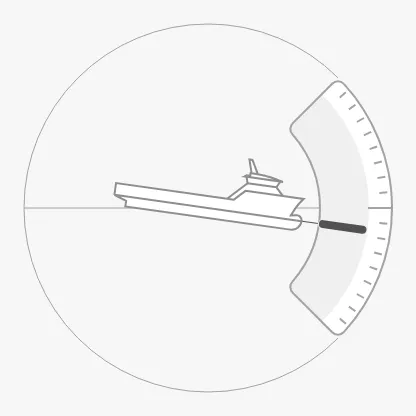
The Pitch shows the pitch (trim) of the vessel: a vessel seen from the side tilts with the pitch, and a needle shows the angle on an arc scale to the right. It is found in the Maritime - OpenBridge section of the Perspective Component Palette as Pitch.
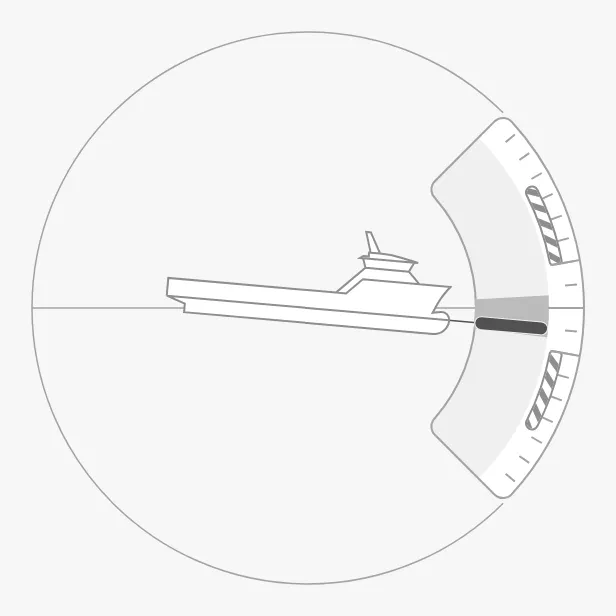
The parts of the instrument:
- Vessel and needle — the vessel tilts with the pitch, and the needle shows it on the scale. See Pitch.
- Average band — the range the pitch has moved within lately. See Average Band.
- Caution zones — the hatched zones beyond the largest recommended pitch. See Pitch Advice.
- Scale — an arc of ±45° by default. See Arc and Zoom.
The Pitch is one of the maritime instruments, and priority and sizing work as described in Maritime Instruments — Common Features. This page also describes the properties it shares with the other motion instruments — the average band, the advice, the arc, the vessel image and the readout — which the Roll, Pitch Roll and Pitch Roll Heave pages link to. For a small symbol of the pitch, see the Pitch Indicator.
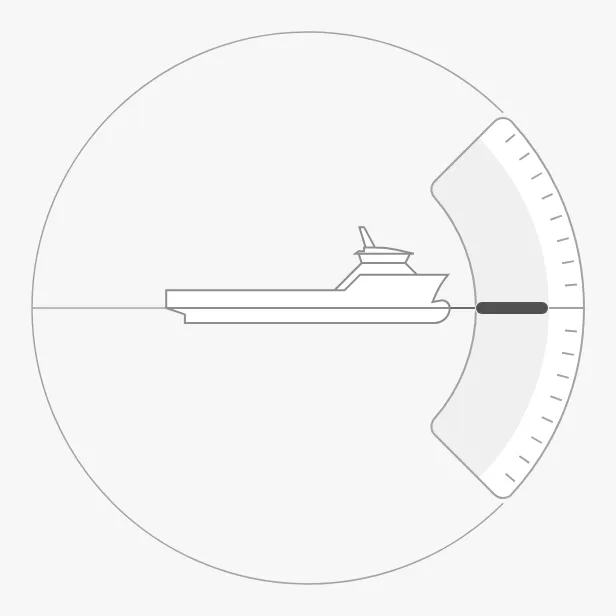
A Pitch dropped from the palette shows a pitch of 0° (shown here at 300 × 300 px; a new Pitch is 509 × 509 px):
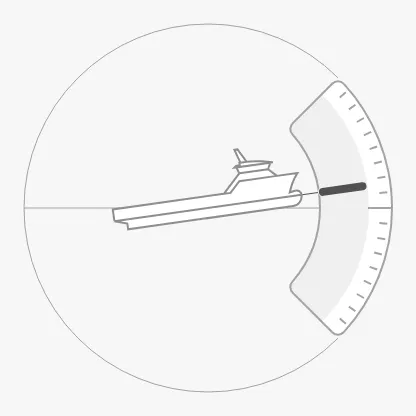
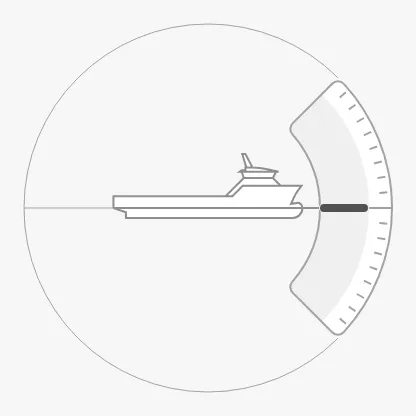
Bind pitch to the pitch of the vessel in degrees. A positive value turns the
vessel and the needle clockwise — the bow, on the right, goes down — and a
negative value counter-clockwise:
-8 |
0 |
8 |
|---|---|---|
 |
 |
 |
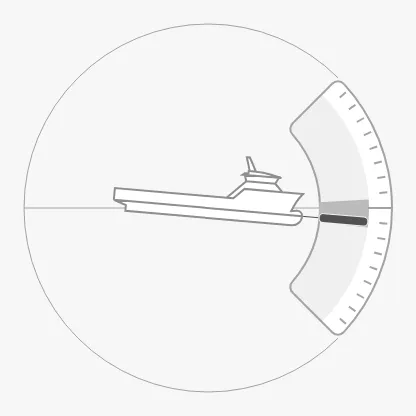
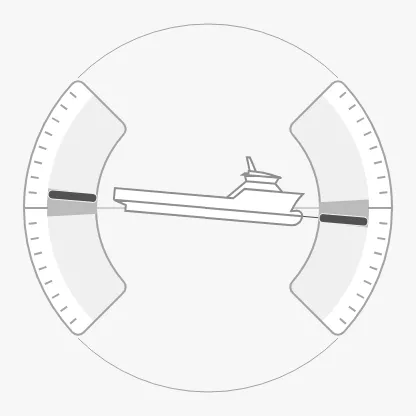
type selects whether the scale is drawn once, on the right, or also mirrored
on the left, where the stern of the vessel is:
single-scale (default) |
dual-scale |
|---|---|
 |
 |
Properties
Section titled “Properties”| Name | Description | Property Type |
|---|---|---|
| pitch | Pitch in degrees; positive turns the drawing clockwise. Default 0. |
value |
| type | single-scale or dual-scale. Default single-scale. |
value |
Average Band
Section titled “Average Band”minAvgPitch and maxAvgPitch draw a darker band on the scale between the two
values: the range the pitch has moved within over a recent period, for example
the lowest and highest pitch of the last minute. Compute them in a tag or an
expression; the instrument does not track them itself. With both at 0 (the
default) no band is drawn.
The Roll has the same band as minAvgRoll and maxAvgRoll, and
Pitch Roll and Pitch Roll Heave have
both pairs.
Properties
Section titled “Properties”| Name | Description | Property Type |
|---|---|---|
| minAvgPitch | Lower end of the average band, in degrees. Default 0. |
value |
| maxAvgPitch | Upper end of the average band, in degrees. Default 0. |
value |
Pitch Advice
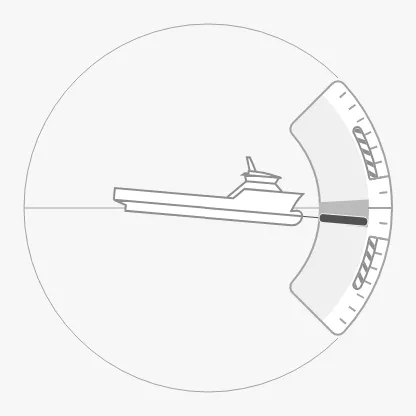
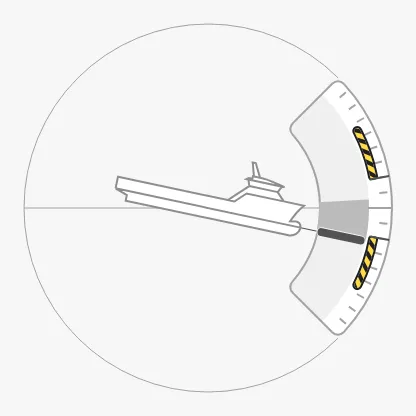
Section titled “Pitch Advice”Set hasMaxPitchAdvice to true and maxPitchAdvice to the largest pitch that
is recommended. Hatched caution zones are drawn on both sides of the scale,
from maxPitchAdvice out to 30° (on the Roll, out to 45°), or to the end of
the arc if it is shorter.
The zones do not turn on by themselves when the pitch goes beyond them. Set
triggerPitchAdvice to true to draw them in the caution colour, for example
with the expression abs({[default]Motion/Pitch}) > 10:
| Advice at 10° | triggerPitchAdvice = true |
|---|---|
 |
 |
These zones replace the general advice zones of the
other instruments: the motion instruments have no advices list. The Roll has
the same properties as hasMaxRollAdvice, maxRollAdvice and
triggerRollAdvice.
Properties
Section titled “Properties”| Name | Description | Property Type |
|---|---|---|
| hasMaxPitchAdvice | Show the caution zones. Default false. |
value |
| maxPitchAdvice | Largest recommended pitch in degrees. Only shown when hasMaxPitchAdvice is true. |
value |
| triggerPitchAdvice | Draw the caution zones in the caution colour. Default false. |
value |
Arc and Zoom
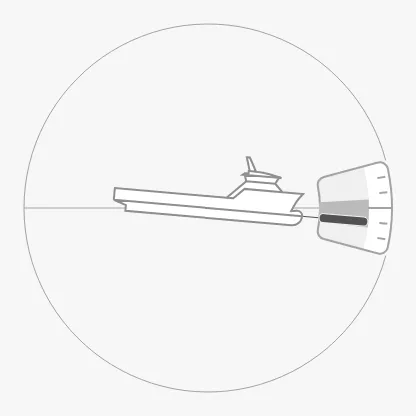
Section titled “Arc and Zoom”arcAngle is how far the scale reaches to each side of its centre, in degrees:
the default 45 gives an arc from -45° to 45°. A pitch outside the arc is not
shown on the scale.
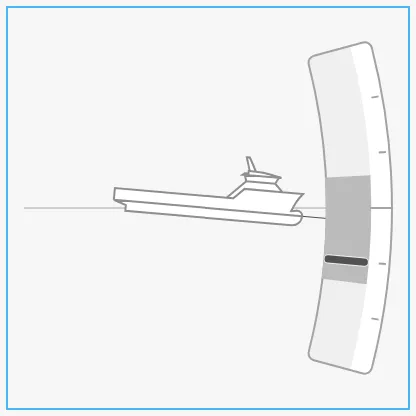
A short arc leaves much of the box empty. Set zoomToFitArc to true to
enlarge the arc so that it fills the box; the vessel keeps its size. The blue
frame is the component’s box:
arcAngle = 45 (default) |
arcAngle = 15 |
15, zoomToFitArc = true |
|---|---|---|
|
 |
 |
Properties
Section titled “Properties”| Name | Description | Property Type |
|---|---|---|
| arcAngle | Reach of the scale to each side, in degrees. Default 45. |
value |
| zoomToFitArc | Enlarge the arc to fill the box. Default false. |
value |
Vessel Image
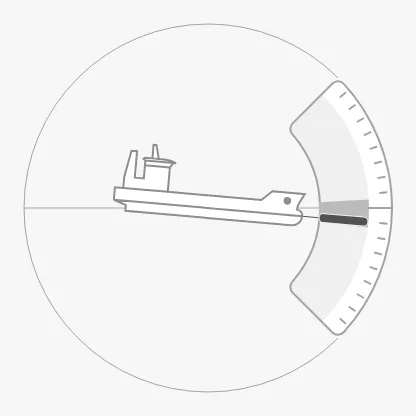
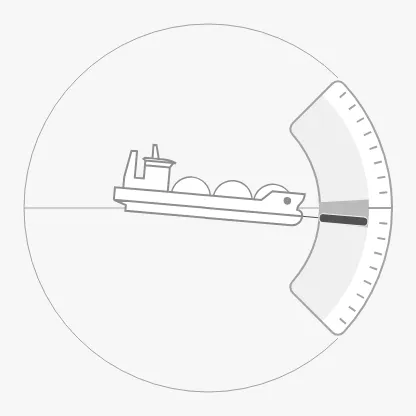
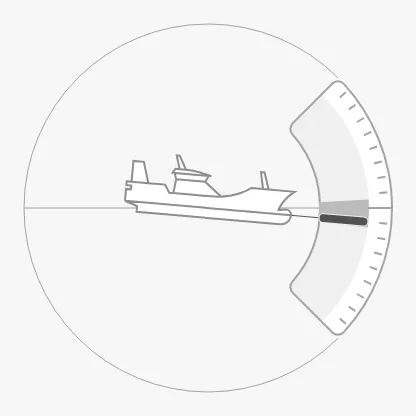
Section titled “Vessel Image”vesselImageSide selects the vessel drawn in the centre. The images are the
same list as the Compass’s vesselImage, with each vessel
type seen from the top, side, fore or aft. The Pitch shows the vessel from the
side, so use a side view:
psv-side (default) |
cargo-side |
tanker-side |
|---|---|---|
|
 |
 |
fishing-vessel-side |
generic-side |
|---|---|
 |
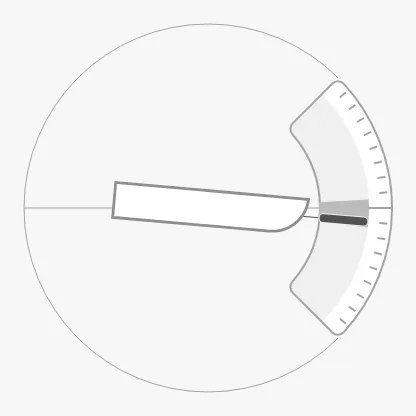 |
The other side views are car-ferry-side, cargo-wind-side, sov-side,
usv-large-side, usv-small-side, drone-generic-side,
drone-medium-stbd-side, drone-small-stbd-side and rov-side. Each also has
a -faded form (psv-side-faded, …), drawn with fainter lines.
The Roll and Heave show the vessel from the fore, with
vesselImageFore and vesselImage.
Properties
Section titled “Properties”| Name | Description | Property Type |
|---|---|---|
| vesselImageSide | Vessel drawn in the centre. Default psv-side. |
value |
| vesselImageSideSrc | Your own vessel image instead of vesselImageSide. See Custom Vessel Image. |
object |
Readout
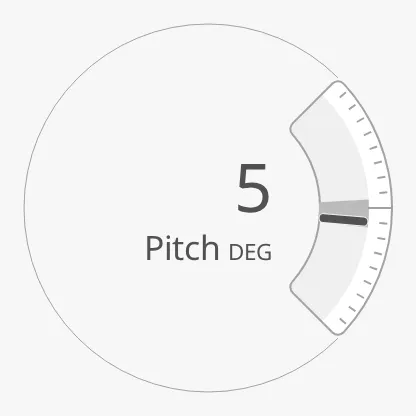
Section titled “Readout”Set hasReadout to true to show the pitch as a number in the centre, in place
of the vessel. label and unit are written under the number, and
fractionDigits sets the number of decimals.
hasReadout = true |
fractionDigits = 1 |
|---|---|
 |
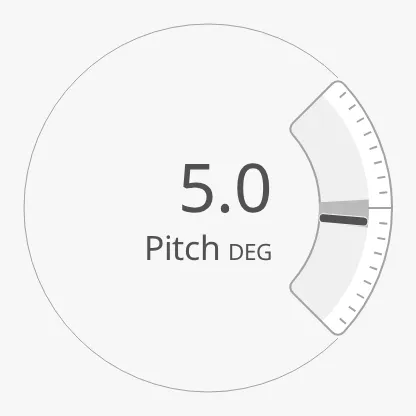 |
A new Pitch has label Pitch and unit DEG; clear them to show the number
only.
Properties
Section titled “Properties”| Name | Description | Property Type |
|---|---|---|
| hasReadout | Show the pitch as a number instead of the vessel. Default false. |
value |
| label | Text under the number. Default Pitch. |
value |
| unit | Unit after the label. Default DEG. |
value |
| fractionDigits | Number of decimals. Default 0. |
value |
Priority and Size
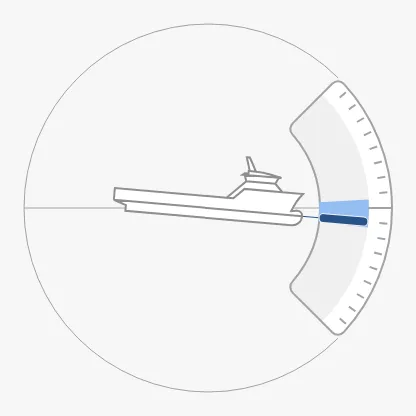
Section titled “Priority and Size”priority works as described in Priority: with
enhanced, the needle and the average band are drawn in the enhanced colour.
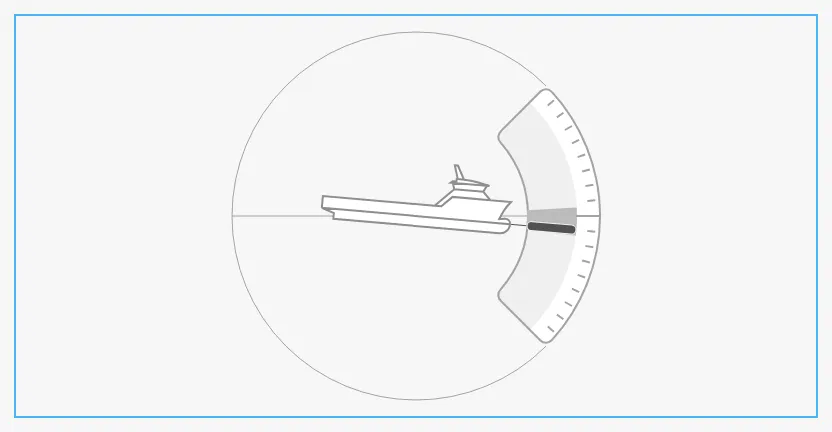
The Pitch fills the smaller side of its box as a circle, centred in it. It has
no faceDiameter. The blue frame is the component’s box:
Common Properties
Section titled “Common Properties”These work in the same way on every maritime instrument, and are described in Maritime Instruments — Common Features:
- Priority —
priority. - Style and Events —
style.
The Pitch has no state property.
Component Events
Section titled “Component Events”The Pitch has no component events of its own.
Examples
Section titled “Examples”Example 1 — Pitch with a Limit
Section titled “Example 1 — Pitch with a Limit”- Drop a Pitch into the view and make it about 300 × 300 px.
- Bind
pitchto[default]Motion/Pitch. - Bind
minAvgPitchandmaxAvgPitchto the lowest and highest pitch of the last minute, for example[default]Motion/PitchMin1mand[default]Motion/PitchMax1m. - Set
hasMaxPitchAdvicetotrueandmaxPitchAdviceto10. - Bind
triggerPitchAdviceto the expressionabs({[default]Motion/Pitch}) > 10. - For MS Nordkapp, a cargo vessel, set
vesselImageSidetocargo-side.
Found an error or something unclear?
Tell us what is wrong, confusing or missing on this page.
Built on the OpenBridge Design System