Depth Indicator
The Depth Indicator is a small symbol that shows a short depth profile — the seabed over the last while — as a line in a frame. It is found in the Maritime - OpenBridge section of the Perspective Component Palette as Depth Indicator.
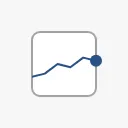
It is the indicator form of the Depth Actual, for overviews where the exact depth is shown elsewhere. See Instruments and Indicators.
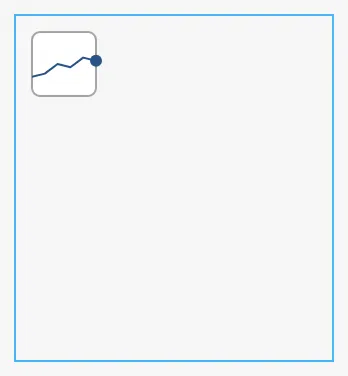
A Depth Indicator dropped from the palette has no values and shows an empty frame:

The indicator has a fixed size of 48 × 48 px and sits at the top left of the component’s box; it does not grow with the box. A new component has a box of 158 × 172 px, much larger than the symbol. Make the box 48 × 48 px. The blue frame is the component’s box:
Values
Section titled “Values”values is a list of numbers from 0 to 1, oldest first: 0 is the bottom
of the frame and 1 the top. They are drawn as a line from left to right,
with a dot at the newest value. The indicator does not scale the values: bind
values to a script that turns each depth into a number between 0 and 1. For
deep water low in the frame, use 1 - depth / maximum depth.
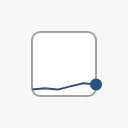
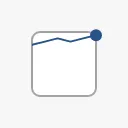
| Low values (0.1 to 0.2) | 0.3 to 0.6 | High values (0.8 to 0.95) |
|---|---|---|
 |
|
 |
Properties
Section titled “Properties”| Name | Description | Property Type |
|---|---|---|
| values | Numbers from 0 (bottom) to 1 (top), oldest first. Empty by default. |
array |
Variant
Section titled “Variant”outline (default) |
filled |
|---|---|
|
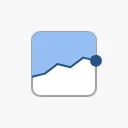 |
filled fills the area above the line — the water above the seabed.
Properties
Section titled “Properties”| Name | Description | Property Type |
|---|---|---|
| variant | outline or filled. Default outline. |
value |
Properties
Section titled “Properties”Properties not covered in the sections above:
| Name | Description | Property Type |
|---|---|---|
| style | Standard Perspective style object. | object |
The indicator has no state or priority.
Component Events
Section titled “Component Events”The Depth Indicator has no component events of its own.
Examples
Section titled “Examples”Example 1 — Depth Profile on a Conning Overview
Section titled “Example 1 — Depth Profile on a Conning Overview”- Drop a Depth Indicator into the view and make it 48 × 48 px.
- Bind
valuesto a script transform on a tag history binding of[default]Nav/Depththat returns the last 20 values, each as1 - depth / 100, so that a depth of 100 m is at the bottom of the frame. - Set
varianttofilled.
Found an error or something unclear?
Tell us what is wrong, confusing or missing on this page.
Built on the OpenBridge Design System